EN
|02
Bluetooth Connection Instructions
For the First Use
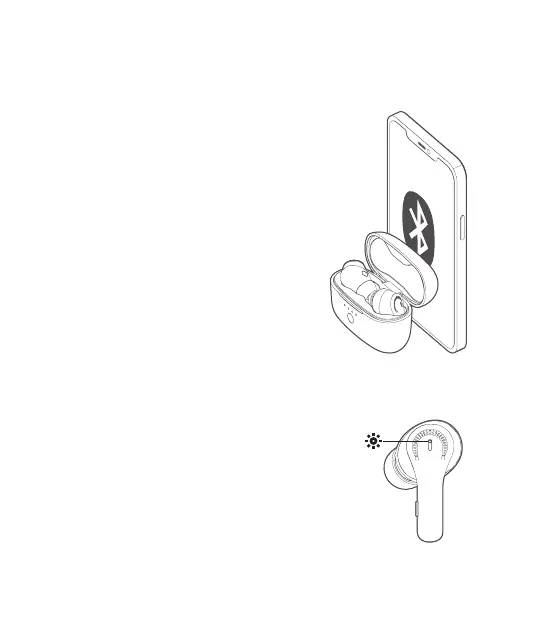
Turn on the earbuds, activate the Bluetooth
function on your device, and search for other
Bluetooth-enabled devices. Find the device name
“Tribit FlyBuds C1 Pro” to initiate the connection.
For the Non-First Use
Turn on the earbuds, and they will automatically
connect to the last connected device.
Connect the earbuds with other devices
Method 1: Disconnect the currently connected
Bluetooth device, and the earbuds will
automatically return to Bluetooth pairing mode.
Method 2: Put the earbuds back in the charging
case. Hold down the button on the charging
case for 5 seconds until its indicators ash for 3
times, which indicates the earbuds are back to
Bluetooth pairing mode.
Power ON/OFF: The white/red indicator ashes
for 1 second and then turns on/o.
Bluetooth Pairing: The red and white indicators
ash alternately.
Connection Successful: The indicator turns o.
Re-connecting: The white indicator breathes.
Low Battery: The red indicator ashes slowly.
Earbud Indicator Light Instruction


 To Next Page