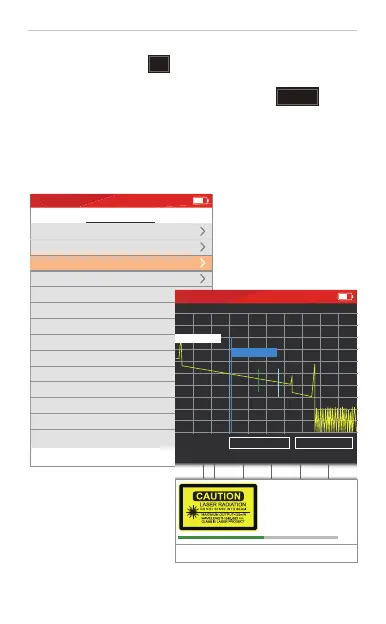
Measure setting
Press key ENTER to edit settings.
Pulse Width
Average Time
Splice Loss
Reflection Threshold
End Threshold
Refractive Rate
Scatter Coefficient
Manual
1000ns
120s
0.05dB
65.0dB
2.0dB
1.46832
52.1dB
Average
Optical detector
Real time analyse
Scan mode
Scan type
500m
Range
Wavelength
1550nm
2020-10-01 THU 21:25
S ET TIN G
SC AN
5
In OTDR interface, press “ ” button to enter into measurement setting
interface.
Under OTDR or measurement setting interface, press “ ” button
to start measurement. Press again to stop the testing during the measurement.
If “Real time analyse” is ON when Real time scan type is set, then it will
take average measurement again before stopping.
Mini OTDR--Measurement Settings
A-B: 000.000km 0.000dB 0.000dB/km
A 0.000km
B 0.940km
4.00dB/div
X Y
0.200km/div
201001.sor
2020-10-01 THU 21:25
No. Dis. Loss Ref.
dB/km C.Loss
Measure Info: 1310nm 2.0km 10ns
10s
Laser Radiation!
Do not look directly
to the laser!


 To Next Page
 Loading...