USING THE SLOW COOKER
Fill the cookpot, cover it with the lid and place it in the slow cooker.
Plug the appliance into the mains point and switch on at the mains.
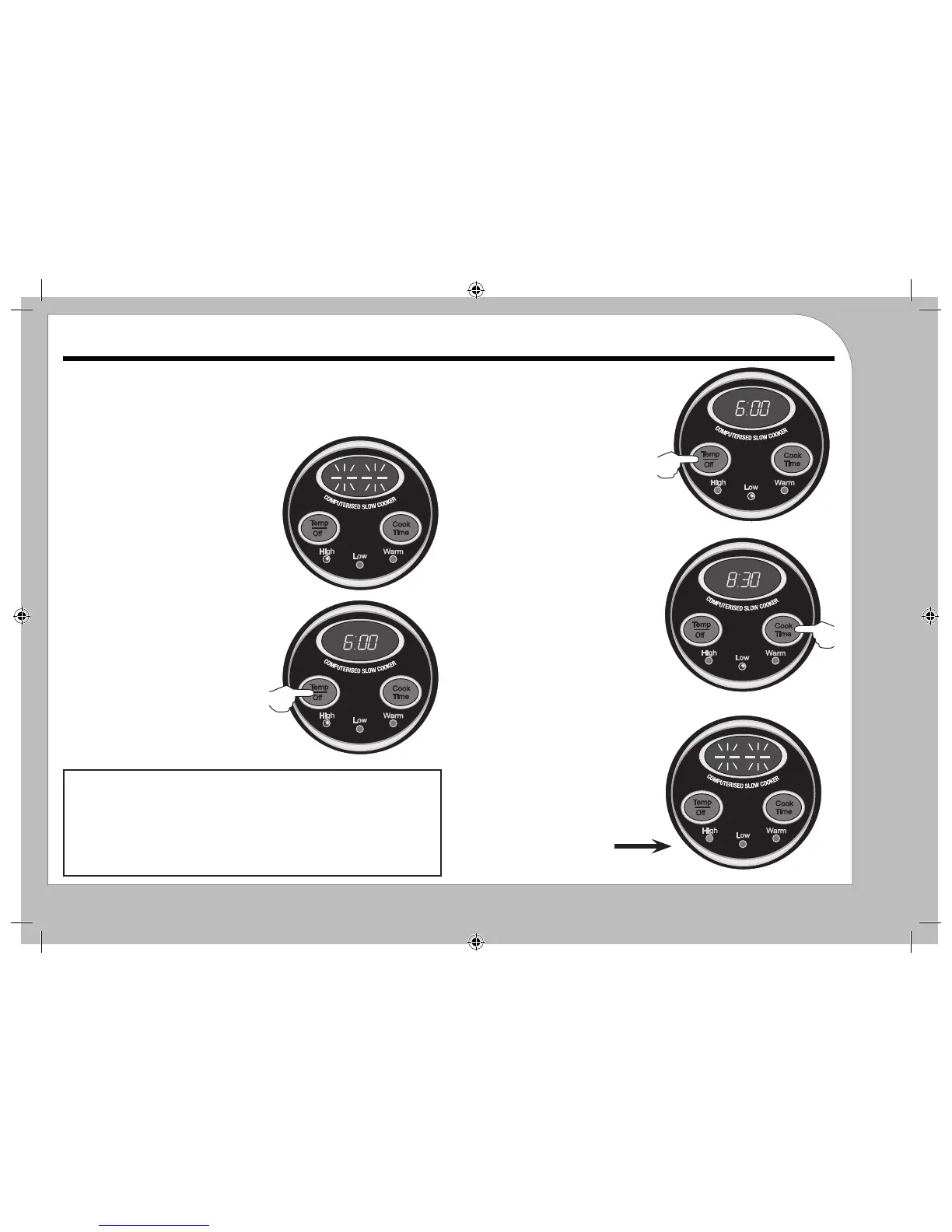
All the lights will briey ash and then
go out.
The display will continue to ash
SETTING THE COOKING
TEMPERATURE & TIME
1: Press the Temp/On switch.
The default time of 6:00 hours appears.
The default ‘High’ light illuminates
USING THE COOKER FOR THE FIRST TIME
Pour 2 cups of water into the cooking pot and cover with the lid. Set the cooker to
HIGH and 30 minutes. After 30 minutes, switch o and unplug. Allow the unit to
cool. Remove the cooking pot, and discard the water. Rinse the cooking pot, dry
thoroughly, and replace it in the base. The slow cooker is now ready for use
2: Set the temperature to:
High/Low/Warm
3: Now press the Cook Time Switch to
set the cooking time:
You can set from 30min - 10:00 hours in
30 minute segments.
The display will ash three times and
then the cooker will start.
The display will now count down to 0:00
During Cooking:
a) Press the Temp/O switch to cycle the
temperature: High/Low/Warm/O.
The new temperature light will ash and
then the cooker will continue at the new
set temperature.
b) Press the Cook Time button to add (or
reduce) the remaining cooking time.
Switching O:
4: If you set the Temp/O switch to
OFF (all lights o) and leave it, after
about three seconds the cooker will
switch o.
Operation
Getting Started
1
2
3
4


 To Next Page