3951 Westerre Parkway, Suite 350
Richmond, Virginia 23233 USA
JACE-6
MOUNTING AND WIRING INSTRUCTIONS
JACE-6 Mounting and Wiring Instructions
Part Number 10821 Published: April 19, 2007
1
Information and specifications published here are current as of the date of publication of this document. Tridium, Inc. reserves the right to change or modify
specifications without prior notice. The latest product specifications can be found by contacting our corporate headquarters, Richmond, Virginia. Products or
features contained herein may be covered by one or more U.S. or foreign patents. © 2006 Tridium, Inc.
:
Note Not covered in this document is the Niagara
AX
software installation and configuration required for a
fully functioning unit. This includes setting host IP address and password, serial port configuration, and
other parameters. Refer to the JACE NiagaraAX Install and Startup Guide for this information.
In addition, the mounting and wiring of JACE-6 expansion options are covered in separate documents.
See sections “About Expansion Options,” page 7, and “Related Documentation,” page 16.
These are the main topics included in this document:
• Preparation, page 2
• Precautions, page 3
• Mounting, page 4
• Board Layout, page 6
• About Expansion Options, page 7
• Wiring Details, page 9
• Power Up and Initial Checkout, page 15
Also included in this document are several appendixes, as follows:
• Using Status LEDs, page 17
• Maintaining the JACE-6, page 18
• Replacement Parts, page 19
• Certifications, page 22
• Declaration of Conformity, page 23
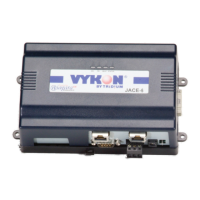
This document covers the mounting and wiring of the Vykon
®
JACE-6
series controller. It assumes that you are an engineer, technician, or service
person who is performing control system installation. Instructions in this
document apply to the following products:
Models Description
JACE-600 JACE-6 base unit controller, powered by (either
1
):
1. In some markets, an IO-34 accessory module is available, which can power the JACE-6. See Tabl e 2 on page 8
for descriptions of accessory modules. Also see “Related Documentation,” page 16.
NPB-PWR 24Vac/dc input/15Vdc output power module, DIN mountable
NPB-PWR-UN 90–263Vac universal input/15Vdc output power module, DIN mountable
WPB-XXX Wall-mount universal AC power adapter, with different models available,
where -XXX is either: -US, -EUR, or -UK (vary by AC wall plug).

 Need help?
 General

 To Next Page