
 Need help?
Do you have a question about the Trikdis G16 and is the answer not in the manual?
Lists compatible control panel manufacturers and models for the GSM communicator.
Details the technical specifications of the GSM communicator G16.
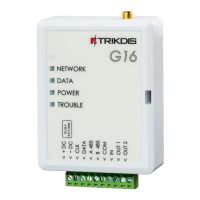
Illustrates and labels the components of the communicator board.
Explains the function of each terminal on the communicator.
Describes the meaning of different indicator light statuses for network, data, power, and trouble.
Lists the items included in the product package.
Outlines the necessary items and preparations before starting installation or configuration.
Explains the information displayed on the status bar after reading communicator parameters.
Configures general system settings like object number, test period, and panel type.
Sets up reporting parameters for the first and second channels to the Alarm Receiving Centre.
Configures specific settings for DC-09 protocol, GPRS ping, and DNS addresses.
Enables and configures the Protegus remote monitoring and control service.
Configures SMS/Call reporting, phone numbers, and event descriptions.
Sets up SMS commands for remote control and defines SMS answer texts.
Lists available SMS commands for remotely controlling the communicator.
Configures SIM card settings including PIN, APN, and network connection.
Configures periodic test messages and customizes event generation.
Explains how to safely disconnect the communicator from its configuration session.
Step-by-step guide to inserting the SIM card into the communicator.
Instructions for mounting the communicator PCB board into its case.
Steps to secure the communicator's casing after installation.
Guidance on connecting the GSM antenna for optimal signal strength.
Guides on wiring connections to different control panels like DSC, PARADOX, TEXECOM, CADDX.
Details on connecting sensors to the input terminal (IN1) as Normally Closed or Open.
Instructions for connecting the required DC power supply.
Steps to power on the GSM communicator after installation.
Procedures for testing the communicator's functionality and event reporting.
 General
| Brand | Trikdis |
|---|---|
| Model | G16 |
| Category | Cell Phone |
| Language | English |

 To Next Page
