
 Need help?
Do you have a question about the Trilogy Mentor XL and is the answer not in the manual?
Overview of the Mentor XL Synchronising Pulse Generator and its capabilities.
Details on the web browser-based configuration tool for managing Mentor XL.
Information on additional hardware and software options for the Mentor XL.
Contact information for technical assistance and warranty details.
Examples of typical system modes and configurations for the Mentor XL.
Procedures for unpacking the unit and mounting it in a standard 19" rack.
Safety requirements for earthing and connecting the power supply.
Identification and description of connectors on the rear panel.
Pinout details for the analogue audio and remote connector.
Configuration and connection details for General Purpose Interface inputs/outputs.
Specifications for AES/EBU digital audio and LTC timecode connectors.
Configuration and usage of the Mentor XL's network port.
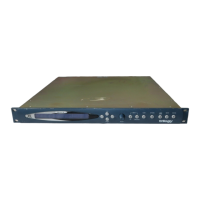
Description of the front panel layout, buttons, and display.
How to use controls, navigate menus, and adjust parameters.
Overview of menu branches and key features like Vector.
Instructions for using the web-based Vector tool for setup.
Procedure for upgrading software and features on the unit.
Supported video standards for SDI outputs.
Description and selection of built-in test patterns.
Configuration of AFD for aspect ratio and picture characteristics.
Adjusting line, field, and frame timing offsets.
Setup for embedded AES audio channels and tone generation.
Configuration for the analogue black & burst output.
Setup for YUV test patterns and timing.
Configuration for composite video and black/burst outputs.
Setup for RGB test patterns and timing.
Configuration for YC test patterns and timing.
List of test patterns available for analogue outputs.
Overview of the audio output selection and configuration.
Configuration for AES/EBU digital audio, including tone settings.
Configuration for analogue audio outputs, including frequency and amplitude.
Setting the genlock mode (internal, external, etc.).
Defining unit behavior upon loss of genlock signal.
Configuring field lock action (crash or line drop).
Selecting the video line standard for genlock input.
Basic configuration settings accessible from the top level setup menu.
Detailed setup for General Purpose Interface inputs and outputs.
Accessing more advanced settings like memory, RTC, and network.
Details on available hardware modules for the Mentor XL.
Information on purchasing and enabling software features.
Overview of the Timecode software feature and its capabilities.
Detailed configuration menus for timecode formats and jamming.
Configuration and usage of VITC within analogue video signals.
Configuration and usage of VITC within SDI video signals.
Overview of GPS system and important usage disclaimers.
Hardware installation and site considerations for GPS antenna placement.
Specifications and recommendations for internal GPS antenna and receiver.
Information on using external GPS receivers and antenna combinations.
Process of acquiring GPS signals and the 1 PPS waveform.
Navigating GPS settings and checking status information.
Explanation of the Absolute Time Reference concept.
Overview of the tri-level sync signal for HD applications.
Menu layout for configuring tri-level sync outputs.
List of supported video standards for tri-level sync outputs.
Setting up the Mentor XL as an NTP server or client.
Implementing SNMP for network monitoring and management.
Menu structure for the HD/3G-SDI expansion module.
Supported video standards for the HD/3G-SDI module.
Available test patterns for HD and 3G SDI formats.
Setup for GPS locked signal and timecode generation.
Configuration for using the Mentor XL as a GPS locked NTP server.
Enabling and configuring automatic daylight saving time adjustments.
Using VITC from a genlock input for timecode jamming.
Physical, environmental, and general operating parameters.
Mains input voltage, power consumption, and fuse details.
Performance metrics for the genlock video input signal.
Technical specifications for SD-SDI outputs.
Technical specifications for HD-SDI outputs.
Technical specifications for 3G-SDI outputs.
Performance metrics for analogue video outputs.
Specifications for AES/EBU and analogue audio outputs.
Interface specifications for GPI inputs/outputs and LTC timecode.

 To Next Page
 General