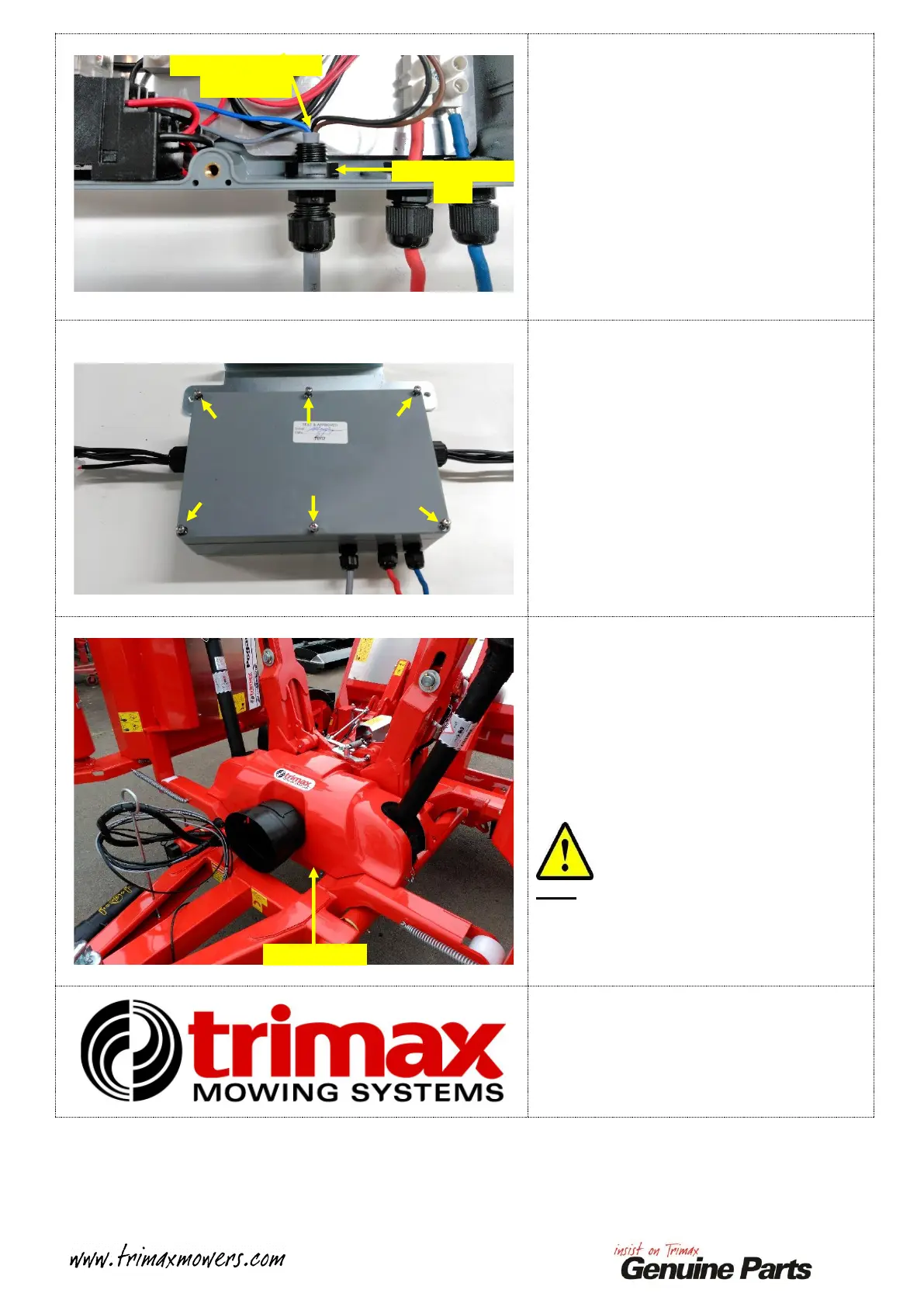
Secure the Cable Gland Nut.
Tighten the INNER Cable Gland Nut to secure
the Cable Gland to the Command Module
Enclosure.
Loosen the Outer Cable Gland Nut.
Feed any excess I.L.S. Control Cable back out
through the Cable Gland to the position shown.
Retighten the OUTER Cable Gland Nut.
Refit the Cover to the top of the Command
Module enclosure.
Reinsert the six Screws and tighten them
gradually and evenly until the Cover is secured.
Refit the I.L.S. Cover to the Pegasus.
The process for this varies depending on which
model Pegasus you have, please refer to your
I.L.S. Operators Manal for instruction.
Reconnect the power supply to the Pegasus
I.L.S.
Raise the Decks into the Transport position.
Ensure that the Decks are securely locked in
place.
Note:
A Pegasus S4 is shown in the image opposite.
Pegasus S4 requires the Main P.T.O Shaft to be
refitted to the Mower! See your Operators
Manual!
This process is now complete.
Excess cable fed out
of enclosure


 To Next Page
 Loading...