6 Getting Connected
110 GeoExplorer 6000 Series User Guide
Accessing a corporate network through your Internet connection
Use a Virtual Private Network (VPN) connection to access a corporate network or
Intranet.
Before you begin, obtain the following information from your network administrator:
• user name and password
• domain name
• host name or IP address of the VPN server
To access a corporate network through your Internet connection, you must:
1. Set up an Internet connection on the handheld.
2. Set up a VPN connection.
3. Connect to the corporate network or Intranet.
Step 1: Setting up an Internet connection on the handheld
Do one of the following:
• Set up a Wi-Fi connection to an access point. For more information, see page 85.
• Connect to the Internet using the internal cellular modem. For more
information, see page 87
• Connect to the Internet using a Bluetooth-enabled phone. For more
information, see page 94.
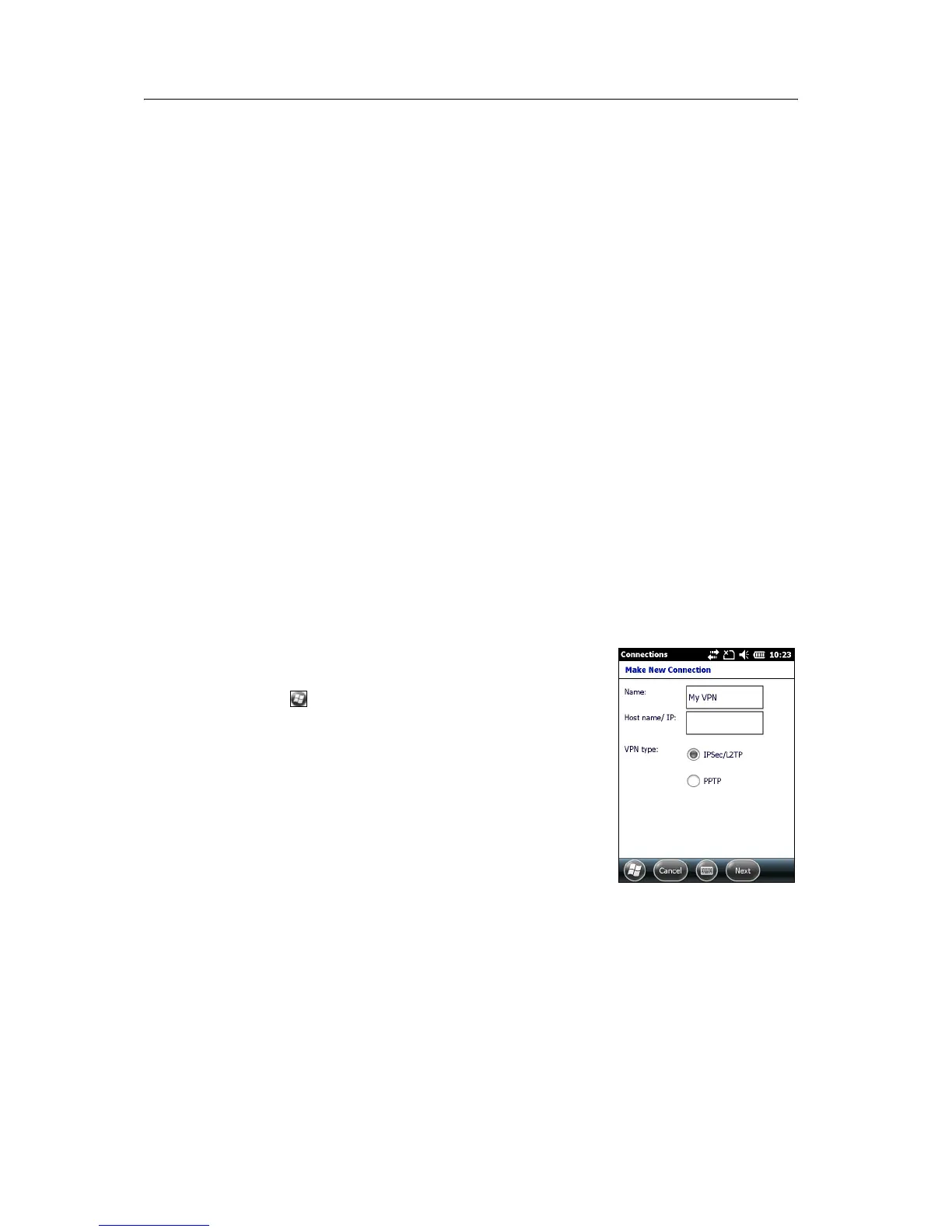
Step 2: Setting up a VPN connection
1. On the GeoExplorer 6000 series handheld, tap
/ Settings / Connections / Connections.
2. From the My Work Network list, tap Add a new VPN
server connection.
3. Follow the instructions in the Make New
Connection wizard.
4. Tap
Finish.



 To Next Page