Juno T41
User Manual
45
Chapter 6 Using Additional Hardware
Features
6.1 Flashlight
The dual LEDs for the camera flash can also be used as a flashlight. Tap
> Flashlight to toggle the Flashlight on and off.
6.2 Assigning Buttons (hardware buttons)
Tap > Settings > Personal > Buttons. Under Program Buttons, your
favorite programs can be assigned to several of the device buttons. The list
of assignable buttons is shown on the left hand side with the program that
is assigned by default on the right. To reassign a button, select the button
in section 1 and change to the desired program or action from the
pull-down list in section 2.
You can customize the way your Up/Down control repeats by changing the
settings under the Up/Down Control tab.
CAUTION: Assigning a button to activate a program may disable the use of
that button for specific uses in other programs. For example, if the
ACTION button is assigned to open a specific program, it will no longer
trigger the camera application to capture an image.
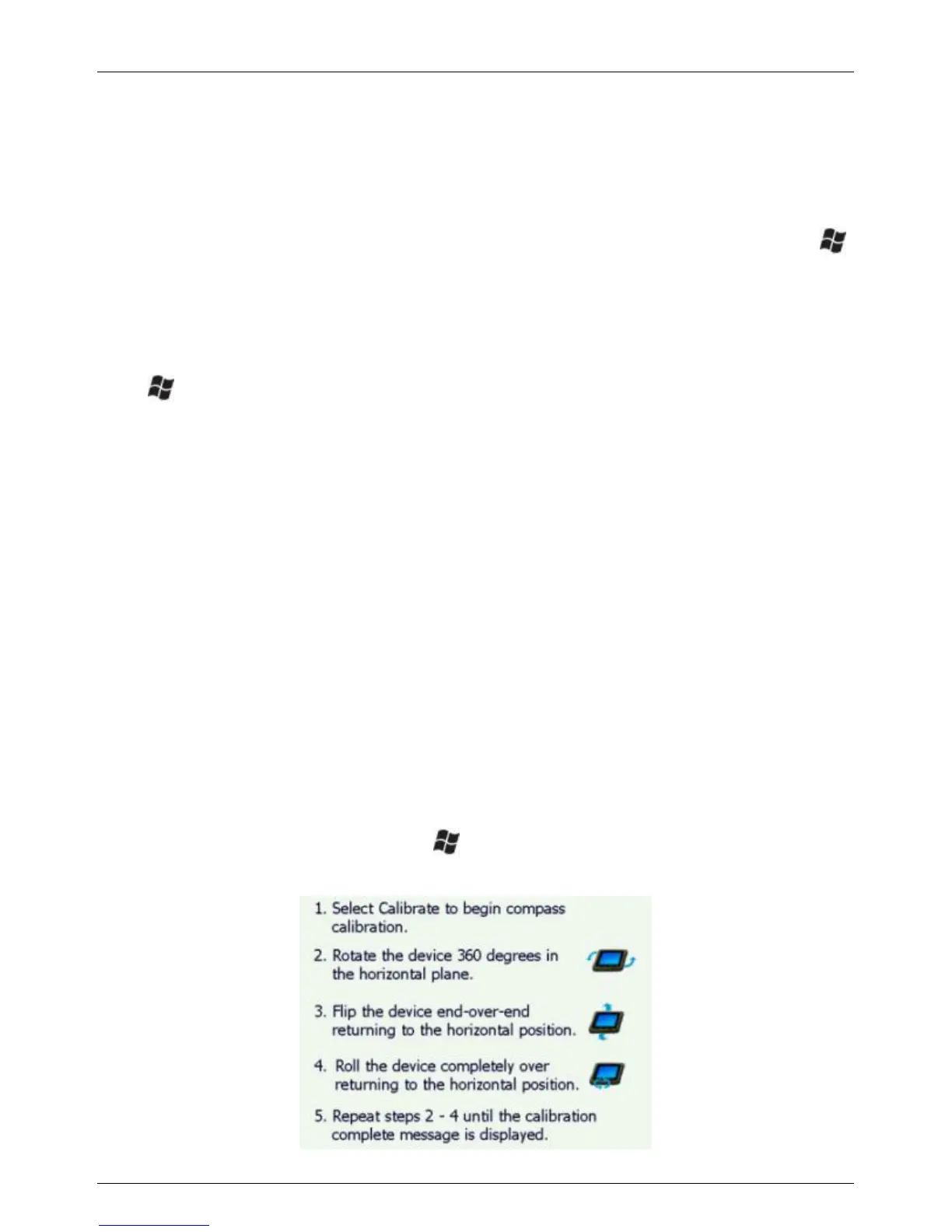
6.3 Compass Calibration
To re-calibrate the compass, tap > Settings > System > Compass
Calibration. Follow the instructions on the screen.



 To Next Page