!
/5!
Chapter 2 Operating Basics
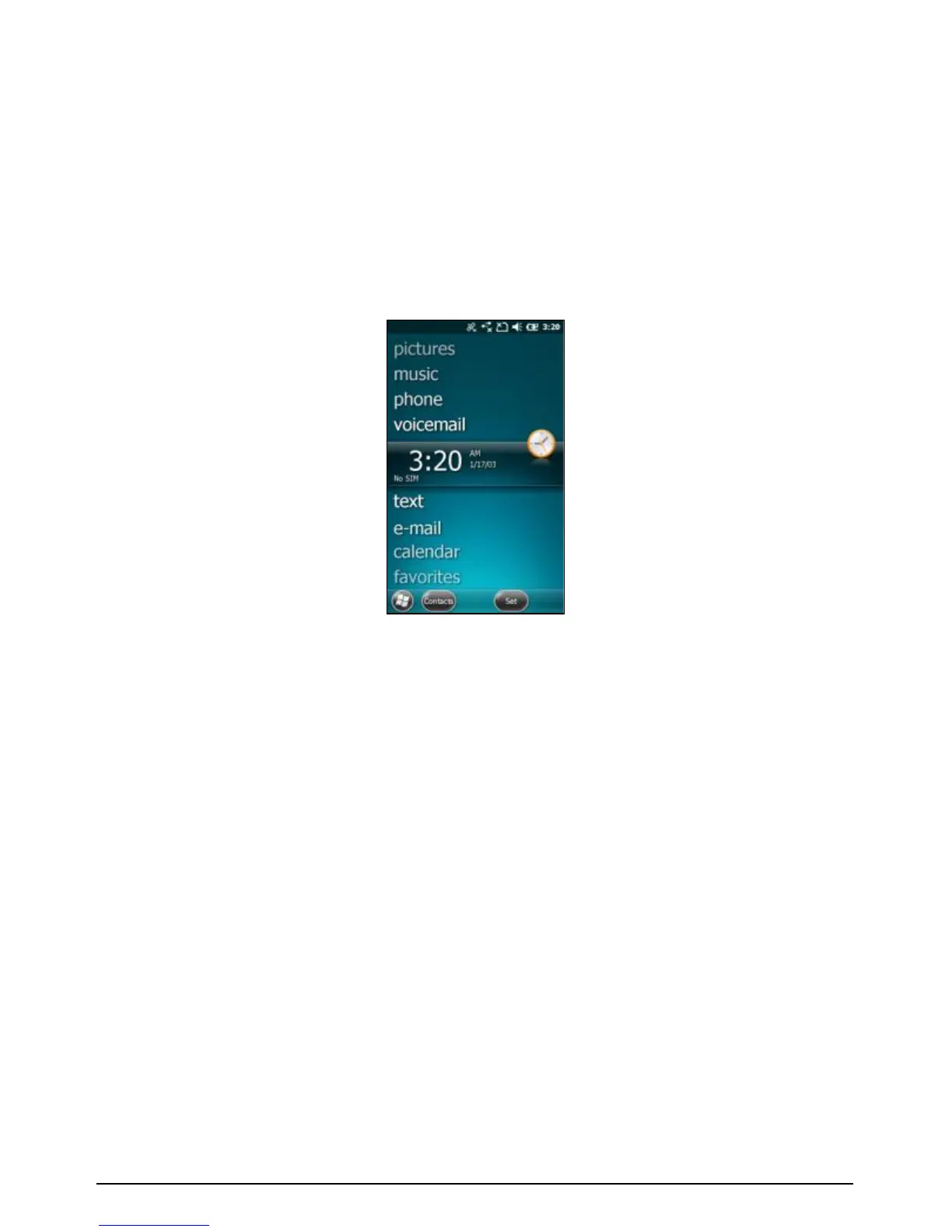
2.1 Home screen
78#!S'A#!M<$##(!&%!3(!#3%4!D34!B'!@32(<8!<'AA'(!3<B&-&B&#%V!%2<8!3%!
2%&(=!B8#!;8'(#V!<8#<9&(=!B#WB!A#%%3=#%!'$!<8#<9&(=!#_A3&@*!H'2!<3(!-&#D!
8&=8_@#-#@!&(:'$A3B&'(!3B!3!=@3(<#V!D&B8!('B&:&<3B&'(%!:'$!G&-#!%#$-&<#%V!
#_A3&@V!-'&<#A3&@V!MOMZOOM!3(?!A'$#*!
!
7'!(3-&=3B#!B8#!S'A#!%<$##(V!B'2<8!3(?!%@&?#!4'2$!:&(=#$B&;!2;!'$!?'D(!
'(!B8#!%<$##(`!'$!?$3=!B8#!8&=8@&=8B!13$!B'!B8#!?#%&$#?!&B#A!'(!B8#!%<$##(*!
78#!;$'=$3A%!;$'-&?#?!'(!B8#!S'A#!%<$##(!&(<@2?#a!
• pictures: Select your photos from this menu.
• music: Select your music from this menu.
• phone: If your device has the phone feature, select this item to
use the phone.
• voicemail: If your device has the phone feature, select this item
to access your voicemail.
• time: Select your time zone, set the time and date and set
alarms.
• text: If your device has the phone feature, select this item to
compose and read text messages.
• e-mail: Select this item to read and compose e-mail.



 To Next Page