>2('!76/%
!</*%E7217.%
/Y!
2.4 Tile bar
78#!7&@#!13$!&%!@'<3B#?!3B!B8#!1'BB'A!':!B8#!%<$##(!3(?!B8#!&(:'$A3B&'(!
?&%;@34#?!B8#$#!&%!A'$#!2(&:'$A!B83(!'(!#3$@&#$!-#$%&'(%!':!R&(?'D%h!
O'1&@#!';#$3B&(=!%4%B#A%*!78#!7&@#!13$!2%#%!B'2<831@#!B&@#%V!3(?!B8#%#!
B&@#%!<3(!1#!3<B&-3B#?!14!;$#%%&(=!B8#!<'$$#%;'(?&(=!12BB'(%!'(!:$'(B!
9#4;3?!':!4'2$!?#-&<#*!
7'2<831@#!B&@#%!<3(!1#!B#WB!%B$&(=%!'$!&<'(%V!?#;#(?&(=!'(!B8#!%<$##(V!3(?!
B8#4!3$#!3B!:&W#?!;'%&B&'(%!'(!B8#!7&@#!13$*!0'$!#W3A;@#V!B8#!MB3$B!&<'(!&%!
3@D34%!&(!B8#!:3$!@#:B!;'%&B&'(V!3(?!B8#!Ec!'$!L@'%#!&<'(!&%!3@D34%!'(!B8#!
:3$!$&=8B*!N:!B8#!7&@#!13$!83%!3!c#41'3$?!&<'(V!&B!&%!3@D34%!&(!B8#!B8&$?V!'$!
<#(B#$!;'%&B&'(`!&:!&B!83%!3??&B&'(3@!A#(2!'$!:#3B2$#!3<<#%%!&<'(%V!B8#4!D&@@!
1#!'(!#&B8#$!%&?#!':!B8#!c#41'3$?!&<'(*!
78#!12BB'(%!'(!B8#!1#g#@!1#@'D!B8#!%<$##(!<'$$#%;'(?!B'!B8#!B'2<831@#!
B&@#%!'(!B8#!7&@#!13$*!I$#%%!3!12BB'(!B'!3<B&-3B#!B8#!3%%'<&3B#?!B&@#*!
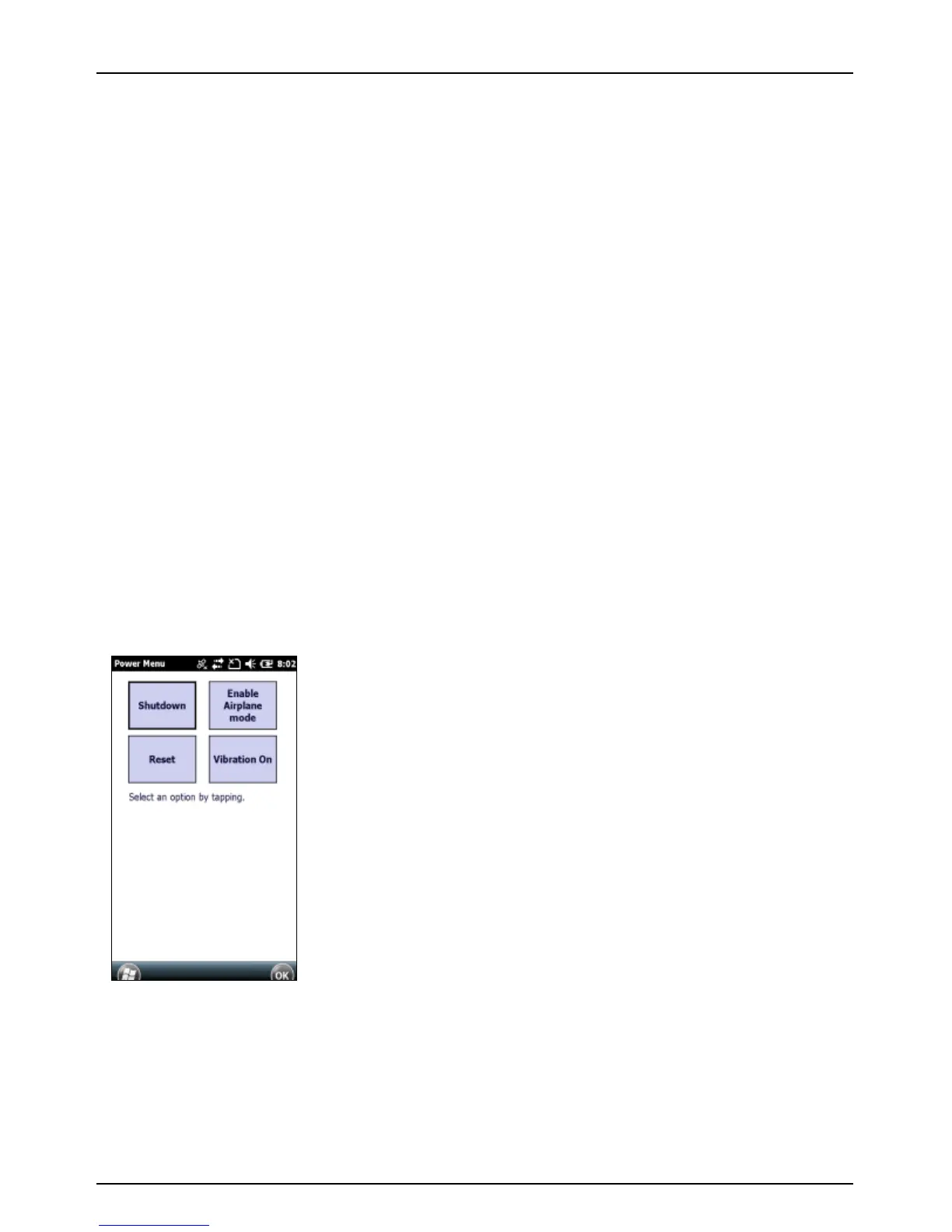
2.5 Power menu
I$#%%!3(?!8'@?!B8#!IERJ,!12BB'(!:'$!31'2B!)!%#<'(?%!2(B&@!B8#!%&'($)
*(+,!3;;#3$%*!73;!3(!';B&'(!'$!BU!B'!#W&B*!
• Shutdown: Turn off the device.
• Enable Airplane mode: Enable the
Airplane mode for the device.
• Disable Airplane mode: Disable the
Airplane mode for the device.
• Reset: Restart the device.
• Vibration On: Enable the Vibration
mode for the device.
NOTE: If the Power Menu does not appear
when the POWER button is held down,
and/or if you continue to hold down the
POWER button for at least 7 seconds, the
device will perform a hardware reset. It may
take a few seconds for the device to start
after the POWER button has been released.



 To Next Page