4-4
Managing Power
Replacing the Battery Pack
If you rely on battery power for a long period of time, consider purchasing
extended life batteries or an additional set of standard batteries from your
dealer to use for backup.
To replace the battery pack, perform the following:
1. Shut down the Tablet Computer.
2. Disconnect the Tablet Computer from the AC power.
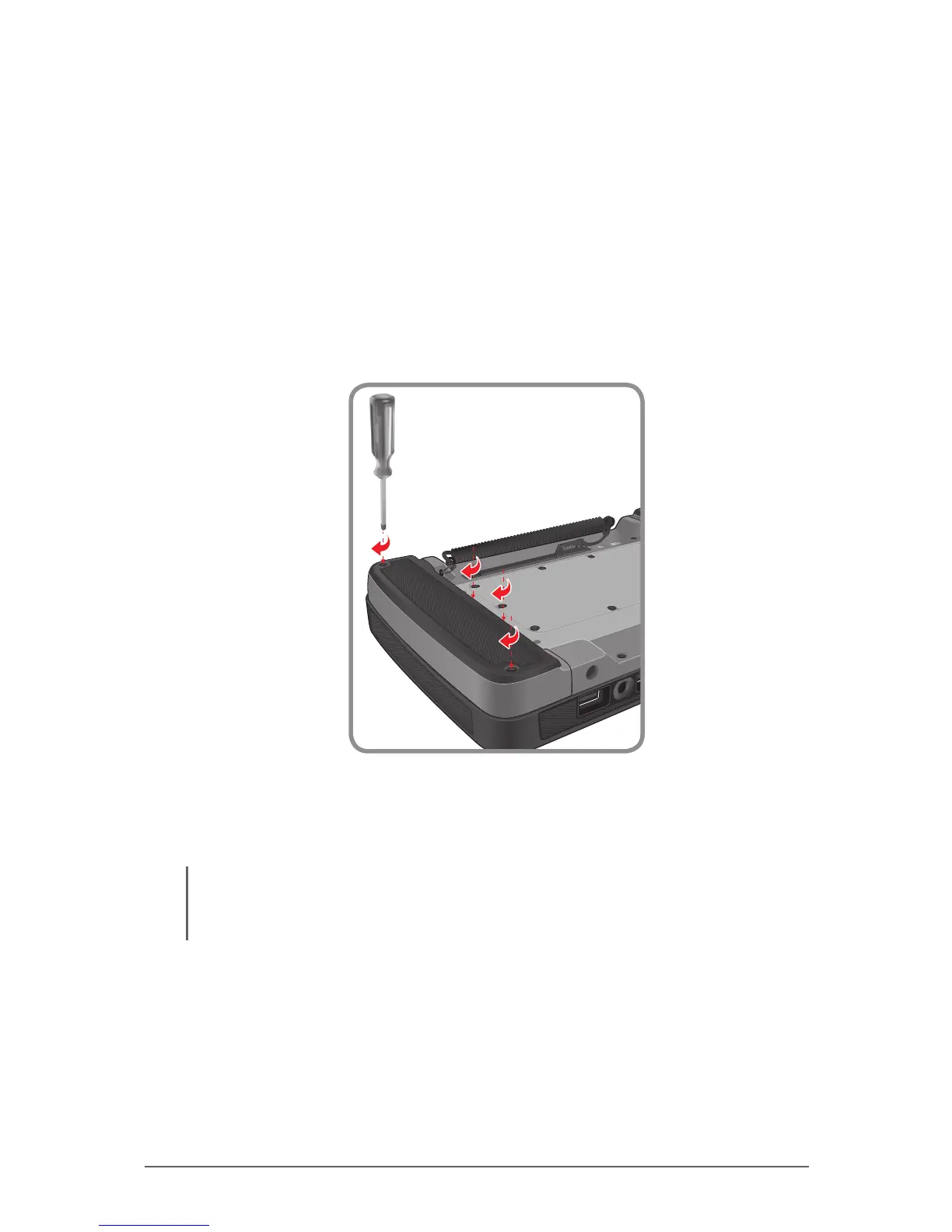
3. Using a Phillips #1 screwdriver, loosen the four screws securing the
battery pack and then lift out the battery.
4. Fit the replacement battery pack in place and secure the four screws. Do
not over tighten.
5. Repeat the above steps to replace the other battery pack as needed.
NOTE: You can still operate the Tablet Computer on one battery while replacing the other battery
pack. Operating one battery for an extended period is not recommended as an empty battery pack
slot exposes the Tablet Computer internal parts to environmental hazards, such as dust and water.



 To Next Page