Getting Started 1-7
Taking a Look at the Tablet Computer
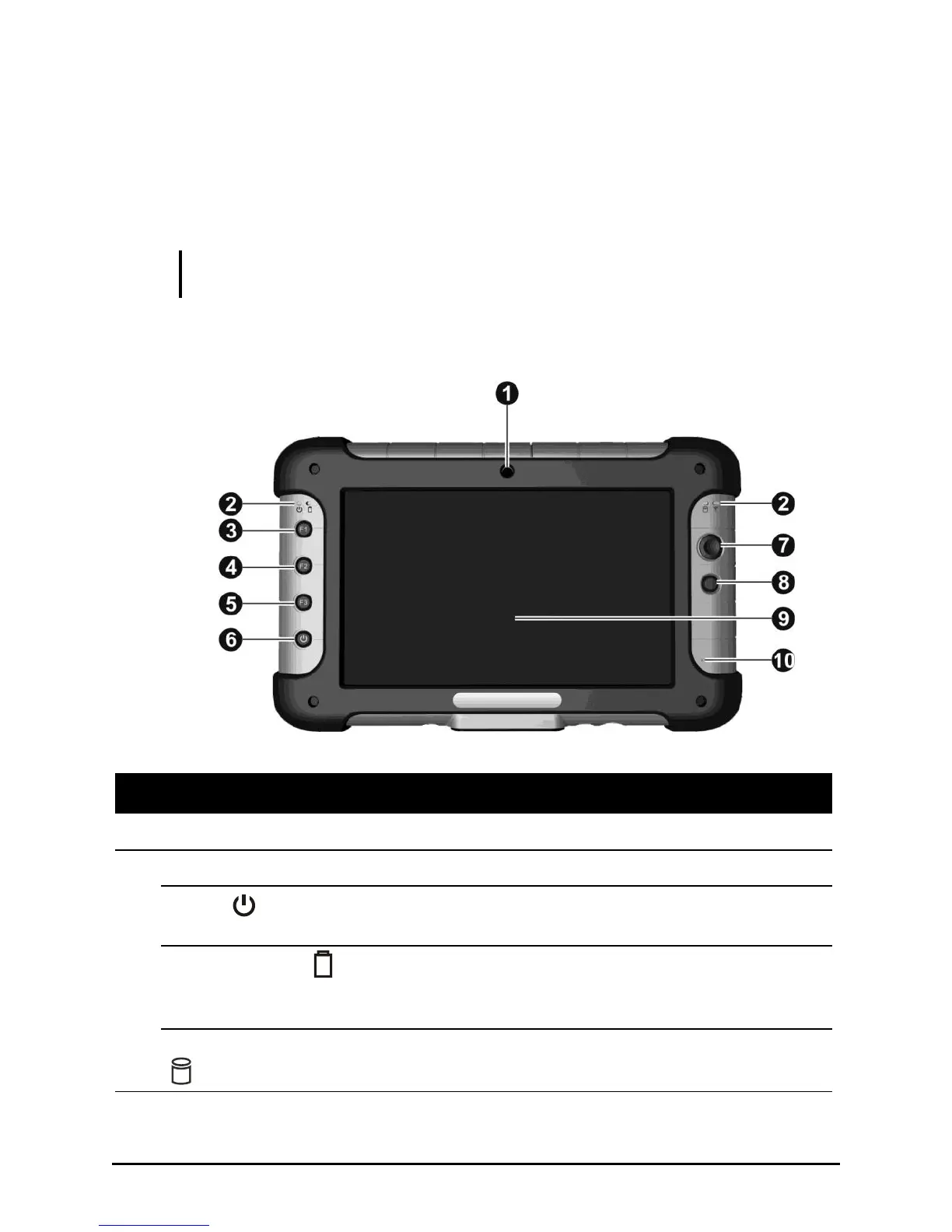
This section identifies the external components of the tablet computer and
briefly describes the function of each component.
NOTE: Depending on the model you purchased, the appearance of your tablet
computer may not be exactly the same as those shown in this manual.
Front Side
Allows you to use your tablet computer’s camera function.
Shows the current status of the tablet computer.
Solid green: tablet computer is turned on.
Blinking green: tablet computer is in Sleep mode.
Solid green: battery is fully charged.
Solid amber: battery is charging.
Blinking red: battery’s capacity is below 10 %.
Blinking green: hard disk drive is in use.



 To Next Page