2-18 Operating Your Tablet Computer
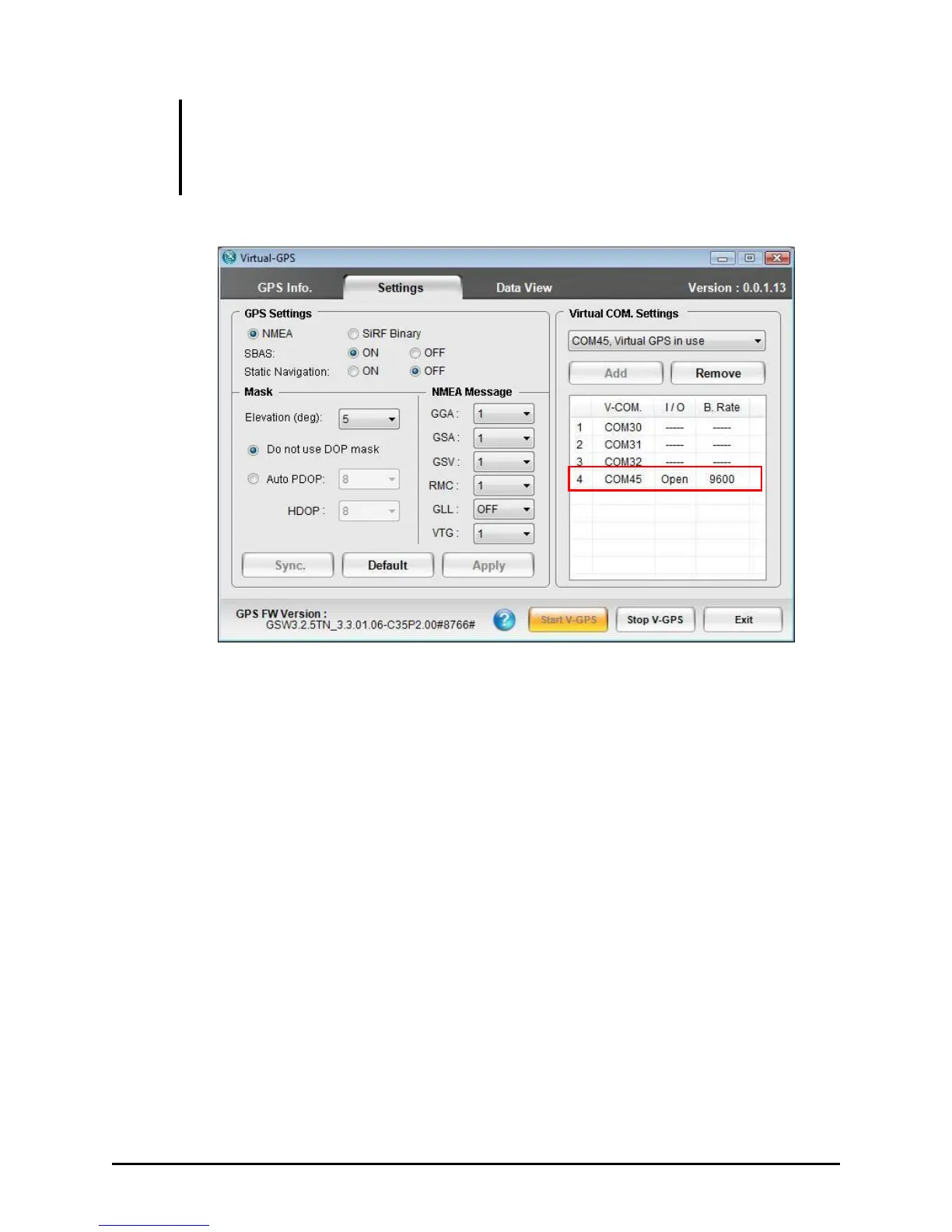
IMPORTANT: Make sure that the COM port number used by the third-party GPS
application to connect to the Virtual-GPS COM port is the same. You can scan for COM
port or select COM port manually using the third-party’s GPS application. COM 45 in
this example is occupied if third-party’s GPS application is connected.
To remove a virtual COM port:
1. Select a COM port number with Virtual GPS in use status.
2. Tap Remove and the virtual COM port is removed and the status will
change to Free.
The available COM port numbers are from 1 to 70.
The V-COM column shows the created virtual COM port number.
The I/O column shows if the application is used (Open) or not used (----).
The B. Rate column shows the baud rate from other GPS application that
is using the virtual COM port.
16 virtual COM ports can be created. When you attempt to add the 17
th
COM port a warning message will pop-up.
Tap Apply to save and execute the settings. The settings would not be
changed even if the system were returned from Sleep mode.


 To Next Page
 Loading...