Operating Your Tablet Computer 2-33
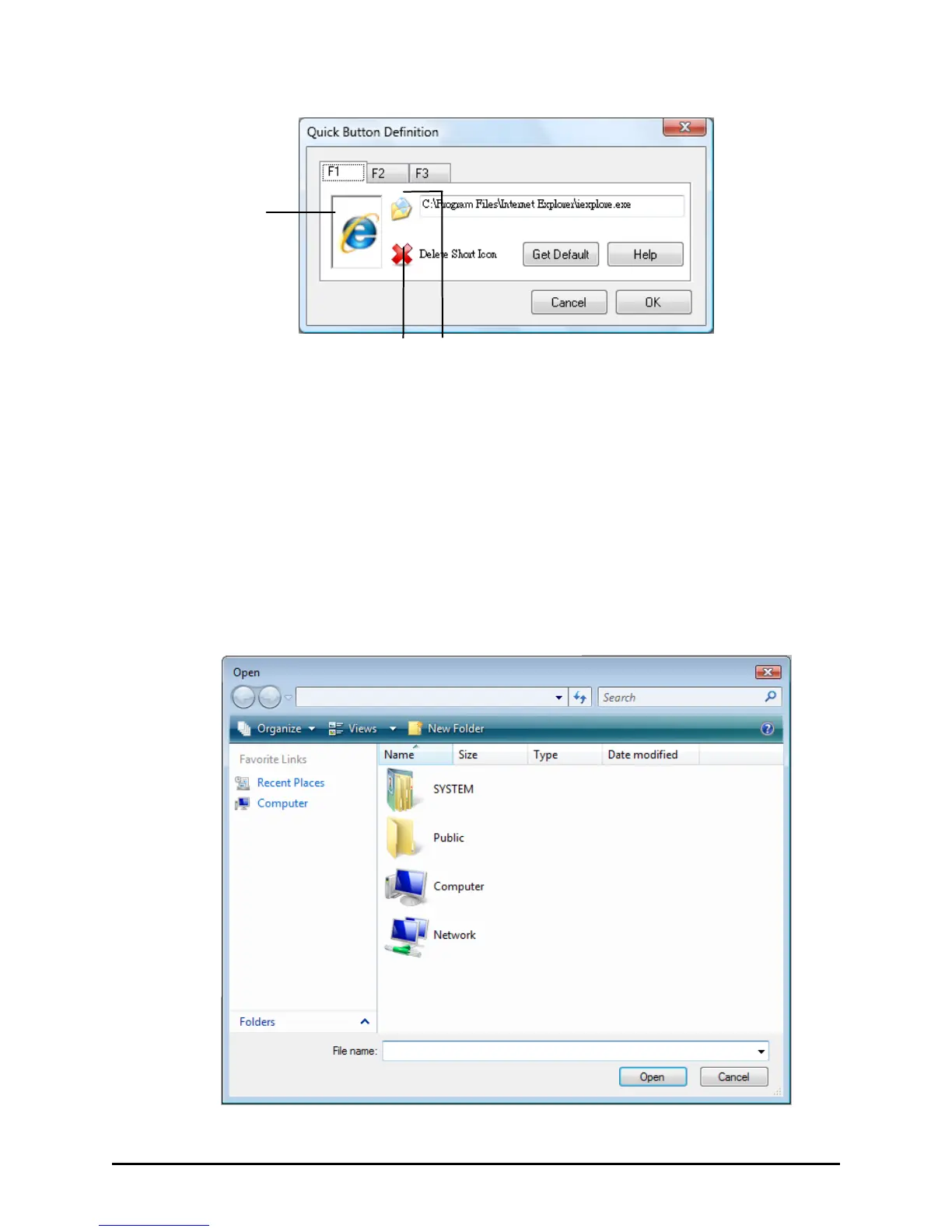
Defining the buttons:
Tap the F1, F2, or F3 folder to select the quick launch button that you
want to define.
The box in the window represents the user-definable button.
To assign a program to a button, tap the Open
icon beside the box to pop
up the Open dialog box as shown next and select the desired program.
Then, tap Open to complete the process.



 To Next Page