4-2 Using BIOS Setup and System Utility
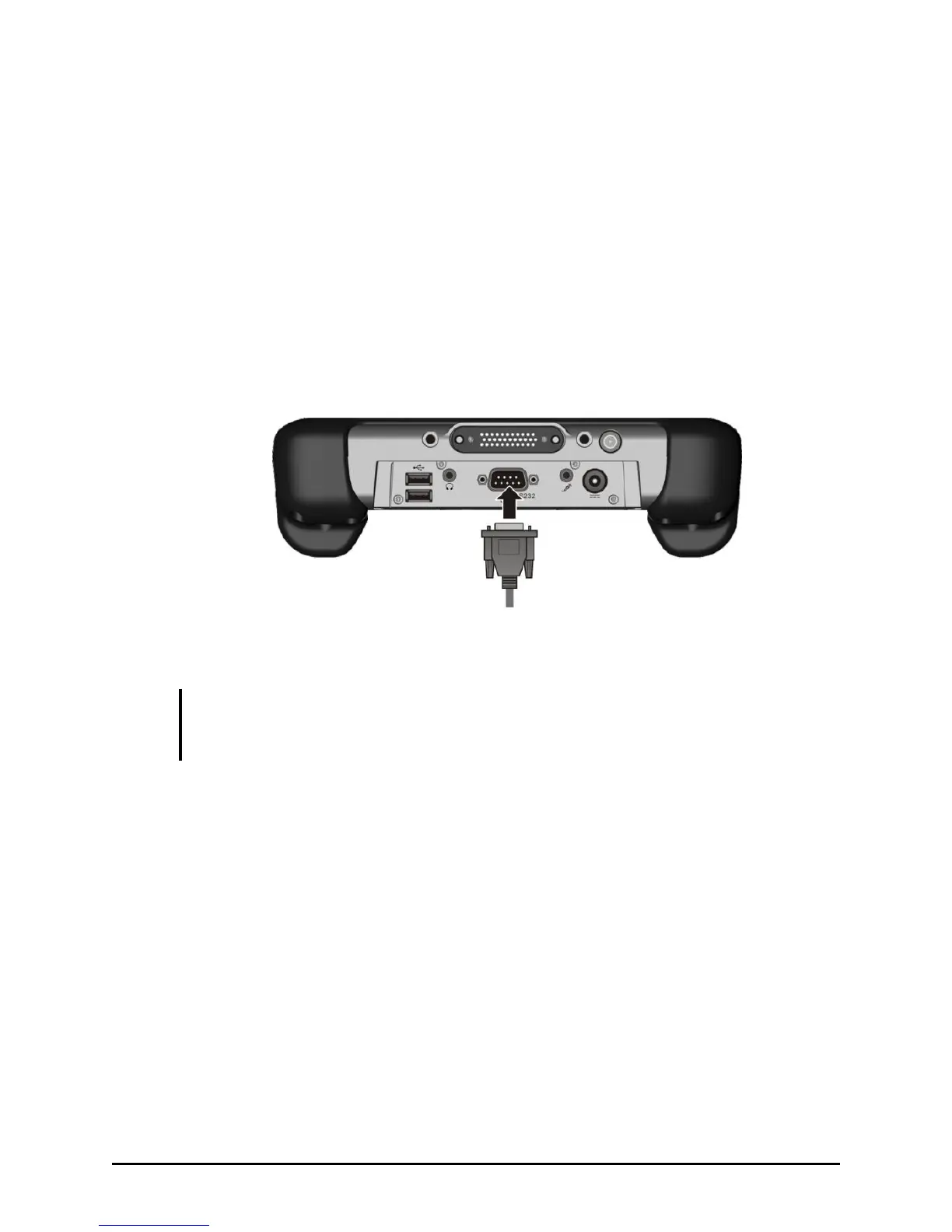
Connecting a Serial Device
Your tablet computer has a serial port for connecting a serial device such
as a serial mouse or serial communication device (modem).
Follow this procedure to connect a serial device:
1. Make sure the tablet computer is not turned on.
2. Plug the device cable to the serial port on the lower front part of the
tablet computer.
3. Turn on the tablet computer.
NOTE: Portable modems that derive power through the serial port cannot be used with
the tablet computer. Instead, use a modem that is powered by its own internal battery or
external AC power.



 To Next Page