Need help?
Do you have a question about the Trinnov Audio Altitude32 and is the answer not in the manual?
Legal notices regarding proprietary technologies and third-party licenses.
Critical guidelines for safe operation, installation, and maintenance of the unit.
Provides an overview of the manual's structure and content.
Details on specifications, features, physical components, and panel layouts.
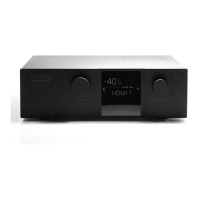
Description of the unit's front panel controls and display elements.
Identification and description of all connectors on the rear panel.
Explanation of the buttons and operations of the infrared remote control.
Information about accessing and navigating the Altitude32's user interface.
Methods for connecting to and controlling the Altitude32 software.
Explanation of the main, side, folded, and unfolded menus for operation.
Step-by-step guide for establishing a network connection to the unit.
Instructions for installing VNC software and establishing a remote connection.
How to modify Wi-Fi and Ethernet network configurations via the interface.
Explanation of network streaming protocols and Roon integration.
Instructions for basic operations using the device's physical controls.
Correct procedure for starting up and shutting down the Altitude32.
Performing operations like volume and source selection using the remote.
Setting up sources, optimization, and presets for system personalization.
How to set up and name audio input sources.
Controlling optimization features and managing system presets.
Initiating the guided process for room and speaker configuration.
Configuring speaker layouts, mapping channels, and verifying routing.
Overview of the tool for defining speaker positions and connections.
Optimizing low-frequency distribution using subwoofers and crossovers.
Guidance on microphone setup and measurement environment requirements.
Correct placement and orientation of the microphone during calibration.
Steps involved in calibrating the entire audio system, including compute.
Performing calibration using single or multiple measurement points.
Calculating final filters and interpreting optimization data.
Interpreting graphs and data to understand the impact of optimization.
Utilities for advanced audio adjustments, metering, and optimization controls.
Monitoring audio levels and applying FIR/Graphic EQ for tuning.
Configuring core Optimizer parameters and target frequency response curves.
Overview of audio codecs, upmixers, and playback modes.
Configuring parameters for Dolby, DTS, and Auro-3D audio decoding.
Information on HDMI status, menus, and common connection issues.
Details about the microphone's specifications, setup, and compensation files.
Procedures and contact details for technical assistance and troubleshooting.
 General
| Channels | 32 |
|---|---|
| Audio Processing | Dolby Atmos, DTS:X, Auro-3D, IMAX Enhanced |
| Digital Inputs | HDMI, AES/EBU, S/PDIF |
| Network Connectivity | Ethernet, Wi-Fi |
| Analog Inputs | XLR |
| Control Protocols | RS-232, IR |
| Type | Processor |

 To Next Page