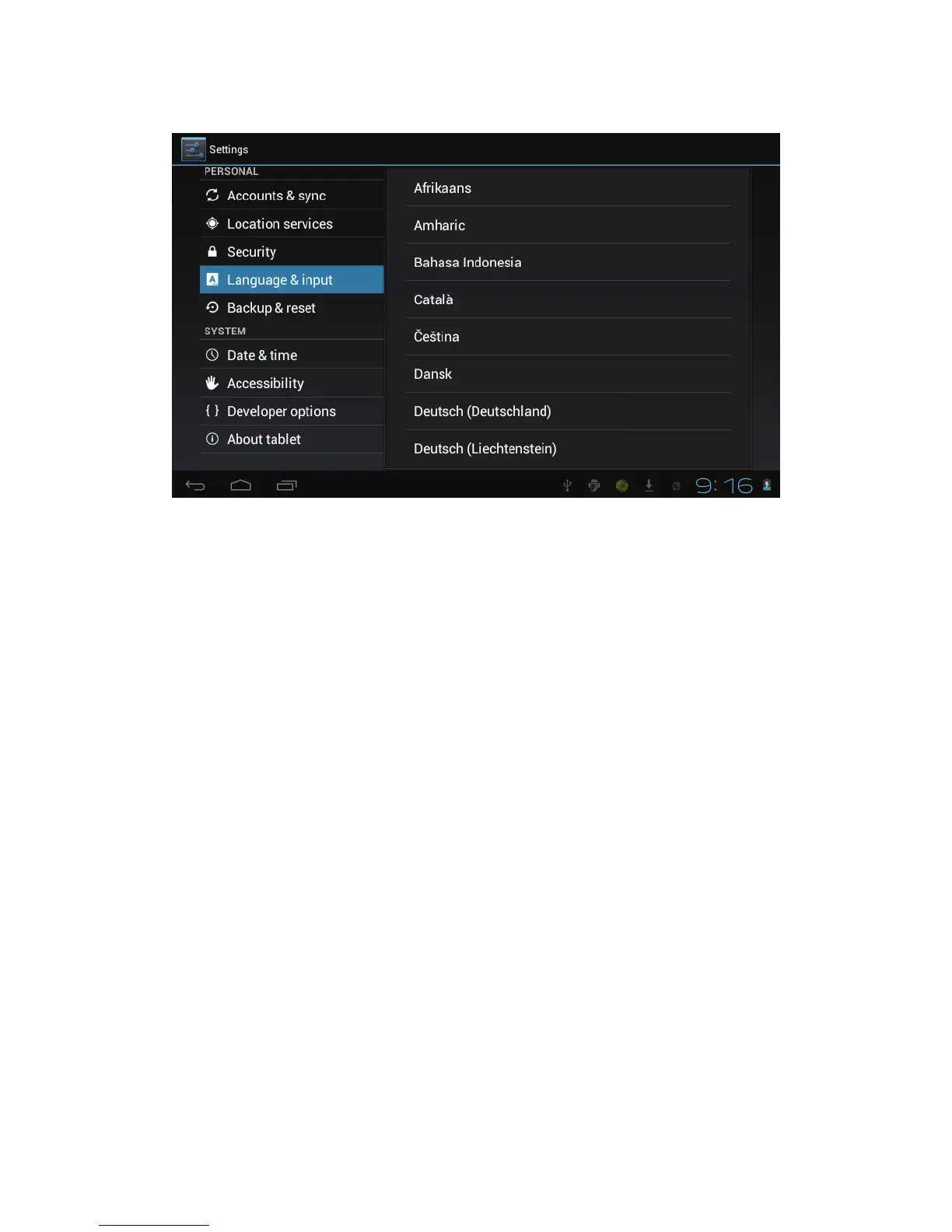
5.7 Setting the display Language
1) Tap the setting icon.
2) Tap language & input.
3) Tap language, and select the language you want. There are 60
languages to choose from.
6. About the tablet
6.1 System update
Note - This setting is for advanced users only. If done
improperly, your device may be damaged, as well as your data
erased. Please exercise caution when updating.
1) Tap the setting icon.
2) Tap About tablet.
3) Tap System update, follow the onscreen instructions.
4) Tap Install system update only if there is a new version



 To Next Page