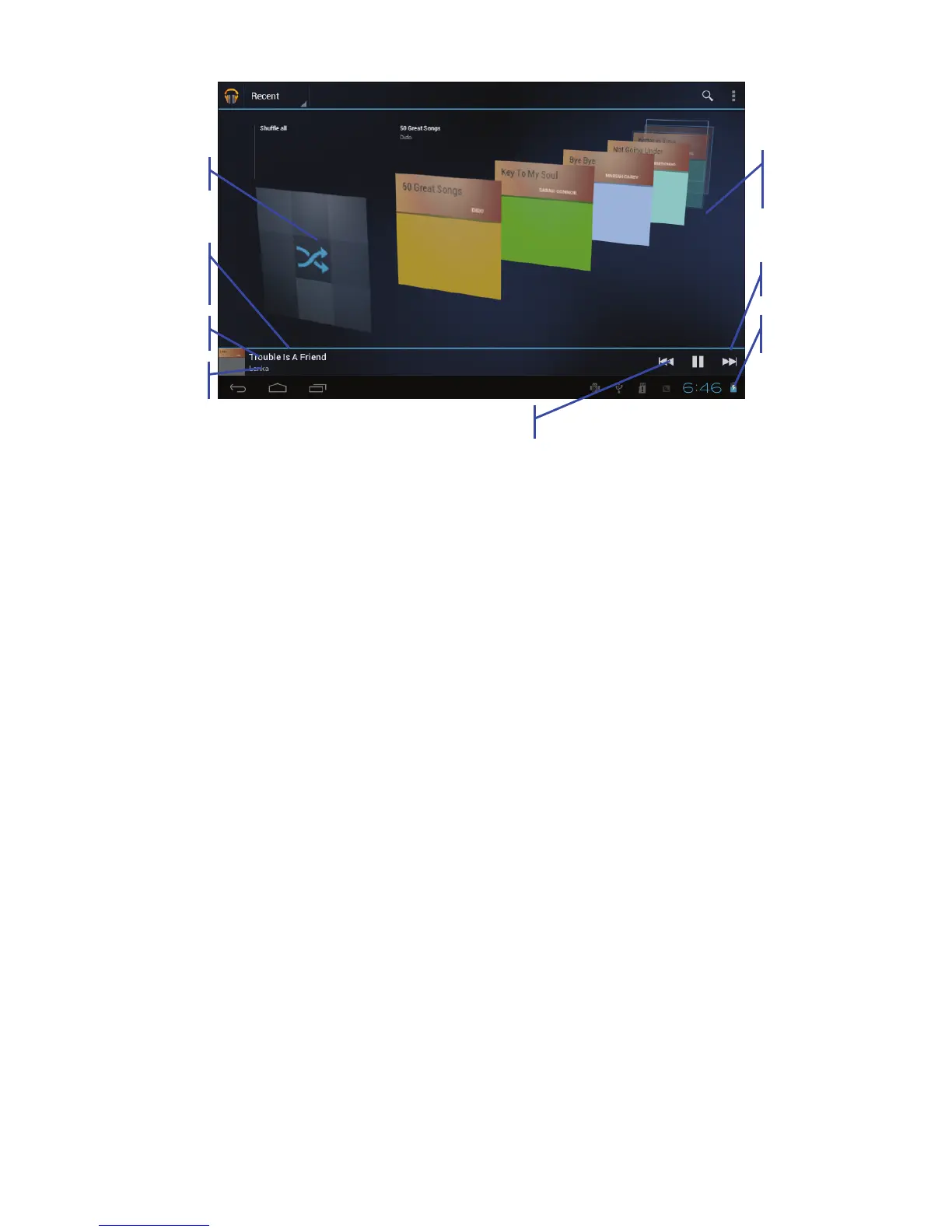
1) Find and play music
1. Tap the music application
2. Tap artist, album or play list.
3. Select any music to play.
2) Add music to a play list
1. Tap the music application
2. Enter to select music.
3. Tap and hold the music you want to add.
4. Tap “Add to playlist “, and select the playlist you wish to add your
files to.
5. OR Tap “new”.
6. Input a name for your new play list.
7. Tap save.
3) Delete the music in a play list
1. Tap music.
2. Tap and hold the music you want delete from the play list.
Album Cover
Artist
Previous song
Current playing
songs
Random play
Other
Albums
Pause
Next song



 To Next Page