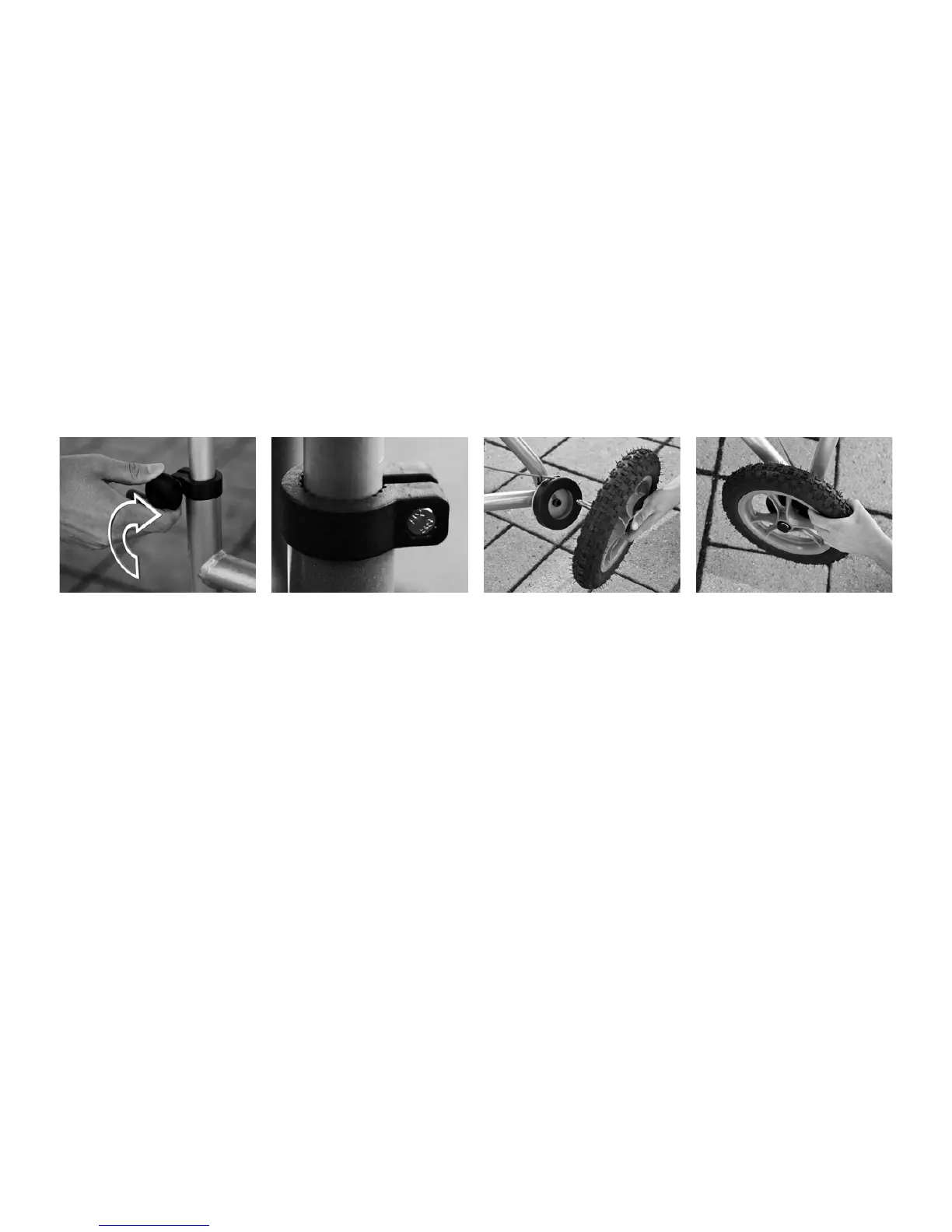
3. Lock both turning knobs by
screwing them clockwise until
they are rmly fastened.
NOTE! e turning knob can
be replaced with s screw and
nut if there is a risk that the
user accidentily unscrews the
handle while using the rollator.
Removing/Installing the Rear Wheels
e rear wheels are removable
to simplify transportation of
the Walker.
1. To remove the wheel, press
the black button at the centre
of the wheel and pull the wheel
o.
2. To mount the wheel, press
the black button in the cen-
tre of the wheel and press the
wheel axle into the axle hole.
Release the button when the
wheel is in its end position.
3. Hold the tire and pull the
wheel back and forth laterally
to check if the wheel is prop-
erly secured.



 To Next Page