6
Assembly
4
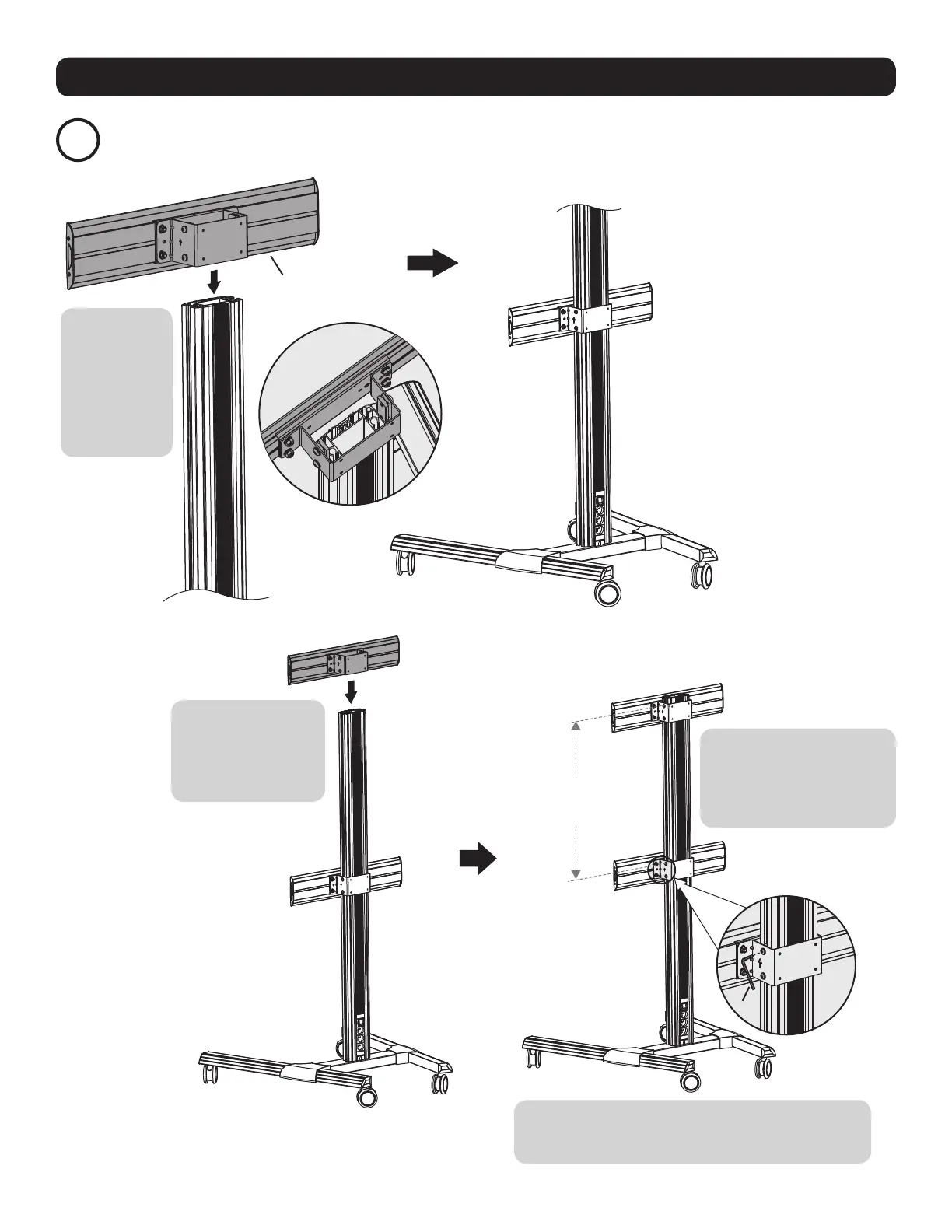
Install the Universal Plates
F
A-C
X + 0.2” (5 mm)
(X=Height of display)
Slide the
first universal
plate onto the
column, making
sure the arrow
on the universal
plate is pointing
up.
Slide the second
universal plate onto
the column, making
sure the arrow is
pointing up.
Allow enough space between
the two universal plates. Set
a distance of the height of the
display plus 0.2" (5 mm)
Once the universal plate positions have been
determined, use the 5 mm hex key (A-C) to secure them
to the column.



 To Next Page