9
Assembly
7
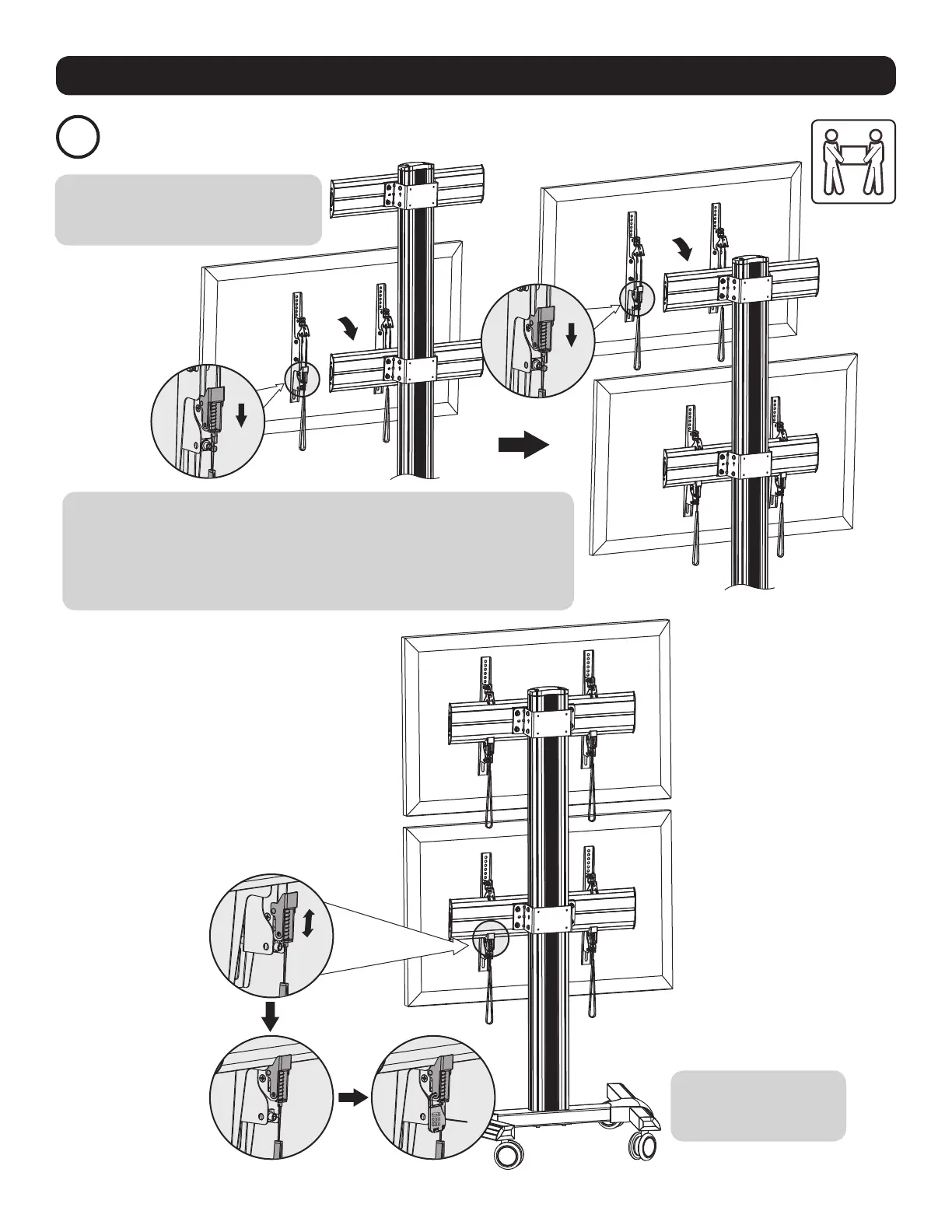
Attach the Displays onto the Universal Plates
O
Note: When installing the displays, make
sure to work from the bottom universal
plate to the top universal plate.
Use the combo locks (O)
to protect the displays
from tampering and theft.
• Using an assistant or mechanical lifting equipment, carefully lift the display and
pull down the two adapter bracket straps at the same time. Hook the display’s
adapter brackets over the top of the universal wall plate. Release the adapter
bracket straps to secure the display to the universal plate.
• Repeat procedure for the second display.



 To Next Page