This document is a Quick Start Guide for an Interactive 55" Touchscreen Display, manufactured by Tripp Lite. The guide provides an overview of the device's features, initial setup instructions, warranty information, and regulatory compliance details.
Function Description:
The Tripp Lite Interactive 55" Touchscreen Display is a versatile interactive display designed for various applications, likely in educational, corporate, or collaborative environments. It functions as a large-format display with integrated touchscreen capabilities, allowing users to interact directly with content on the screen. The display supports multiple input sources and offers features for enhanced collaboration and presentation. It includes a built-in soundbar with a subwoofer for integrated audio, eliminating the need for external speakers in many setups. The device also supports wireless screen mirroring via EShare, enabling seamless content sharing from other devices. Its Android-based operating system provides a familiar and user-friendly interface for various applications and functions. The inclusion of an IR receiver for a remote control and physical buttons on the display, alongside touch input, offers multiple control methods for user convenience.
Important Technical Specifications:
- Display Size: 55 inches
- Touchscreen: Interactive, supporting direct touch input.
- Power Input: AC Inlet (C14, 100-240V, 50/60 Hz) with a master on/off switch.
- USB Touch Ports: Multiple USB touch ports (front and rear) for connecting touch-enabled devices. A note specifies using an included USB cable or a user-supplied USB 2.0 A-B cable 3m or shorter for signal integrity.
- HDMI Ports:
- Front: 1 HDMI Port
- Rear: 3 HDMI Input ports, 1 HDMI Output port
- USB 2.0 Ports:
- Front: 1 USB 2.0 Port
- Rear: 3 USB 2.0 Ports (Android Only)
- DisplayPort: 1 DisplayPort Input
- VGA: 1 VGA Video Input (HD15)
- Audio:
- Built-in Soundbar Speakers with Subwoofer
- 3.5 mm Audio Output (Headphone)
- 3.5 mm Audio Input (Microphone)
- 3.5 mm Audio Input (VGA)
- Network: LAN Port (RJ45 Ethernet), Wi-Fi Antenna Connectors (4) for wireless connectivity.
- Camera Input: Dedicated Camera Input (Common USB)
- Serial Port: RS-232 Serial Port (DB9) for control and integration.
- Operating System: Android-based for initial display startup and functionality.
- Wireless Connectivity: Wi-Fi antennas are included and connect to the rear of the unit.
- Mounting: Designed to be mounted on an included mobile stand or a wall mount.
Usage Features:
- Multiple Control Methods: The display can be controlled using the included remote control, physical buttons on the display's front panel, and on-screen display (OSD) menus via touch input.
- Front Panel Controls:
- USB Touch Port (1)
- HDMI Port (1)
- USB 2.0 Port (1)
- IR Receiver for Remote Control
- Power Button with Status LED (Blue for On, Red for Standby)
- Source Button for input selection
- Menu Button for OSD access
- Volume – and Volume + Buttons
- Left and Right Arrow Buttons for navigation
- Touch On/Off Button
- Built-in Soundbar Speakers with Subwoofer
- Rear Panel Connectivity: A comprehensive array of ports for various peripherals and sources, including AC power, master on/off switch, camera input, multiple USB 2.0 ports, LAN, USB touch ports (for HDMI, DP/VGA), HDMI inputs/output, DisplayPort, Wi-Fi antenna connectors, audio inputs/outputs, VGA input, and an RS-232 serial port.
- Remote Control Functions: The remote control offers extensive functionality, including:
- Power On/Standby
- Mute
- Input Selection Menu (including HDMI1, HDMI2, HDMI3, DisplayPort, VGA, OPS)
- Freeze Screen Image
- Adjust Screen Brightness (3 Levels)
- OPS (Built-In PC) Selection/Startup (Note: Not available on this version)
- DICOM (Digital Imaging and Communications in Medicine) Calibration On/Off
- Wireless Screen Mirroring with EShare
- Eye Protection On/Off (Reduces Screen Brightness During Touch Operations)
- Activate Main OSD Menu, Close Main OSD Menu
- Show Current External Input
- Menu Navigation/Adjustment, Menu Selection (OK button)
- Picture Status Memory (Preferred Picture Setting)
- Sound Status Memory (Preferred Sound Setting)
- Volume Up/Down
- Media Playback Controls (Previous Chapter, Play/Pause, Stop, Next Chapter)
- Activate Floating Menu
- Activate Home Screen
- Touch On/Off
- Initial Setup:
- Wi-Fi Antenna Connection: Antennas connect to the rear of the unit after mounting.
- Camera Connection: An included HD webcam clips to the top of the display and connects to the camera input via a USB cable.
- Remote Control Setup: Requires AAA batteries to be inserted with correct polarity.
- Power Connection: Connects to a grounded 120V AC outlet via the included power cord. The master on/off switch must be in the "on" position.
- Initial Display (Android) Startup: Pressing the power button initiates startup. Users need to configure wireless network settings via the "menu" option.
Maintenance Features:
- Warranty: 2-Year Limited Warranty covering defects in material and workmanship. Seller will repair or replace the product at its discretion. The warranty excludes normal wear, accident, misuse, abuse, or neglect.
- Product Registration: Users are encouraged to register their product at tripplite.com/warranty to be entered into a drawing for a free Tripp Lite product.
- Master On/Off Switch: A physical master on/off switch next to the C14 inlet allows for complete power disconnection, recommended if the unit will be idle for more than a few days.
- Regulatory Compliance: The product has a unique series number for regulatory compliance certifications and identification. It complies with FCC Class A rules, meaning it is designed for commercial environments and may cause interference in residential areas, requiring the user to correct it. Shielded cables and connectors must be used.
- Continuous Improvement Policy: Tripp Lite maintains a policy of continuous improvement, meaning specifications are subject to change without notice, and illustrations may differ slightly from actual products.

 Need help?
 General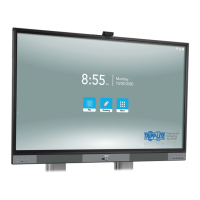

 To Next Page