7
Assembly
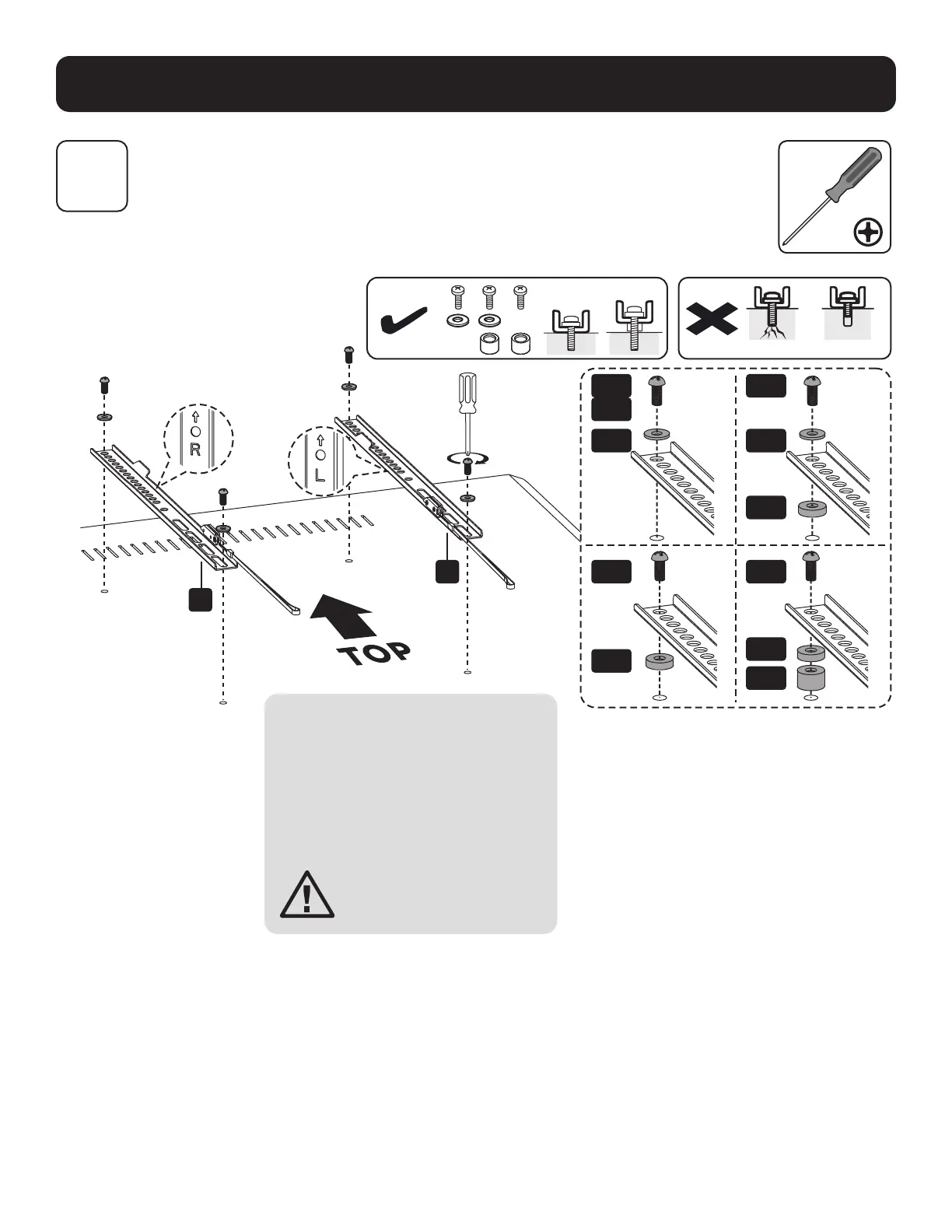
Note: Choose appropriate screws,
washers and spacers (if necessary)
according to the type of screen.
• Position the adapter brackets as
close as possible to the center of
the display.
• Screw the adapter brackets onto
the display.
Firmly secure all screws.
Do not overtighten.
3
Install Adapter Brackets
M-A
M-D
M-C
M-E
M-G
M-H
M-B
M-F
M-G
M-F
M-G
D
C
Too long Too short


 To Next Page