11
1
2
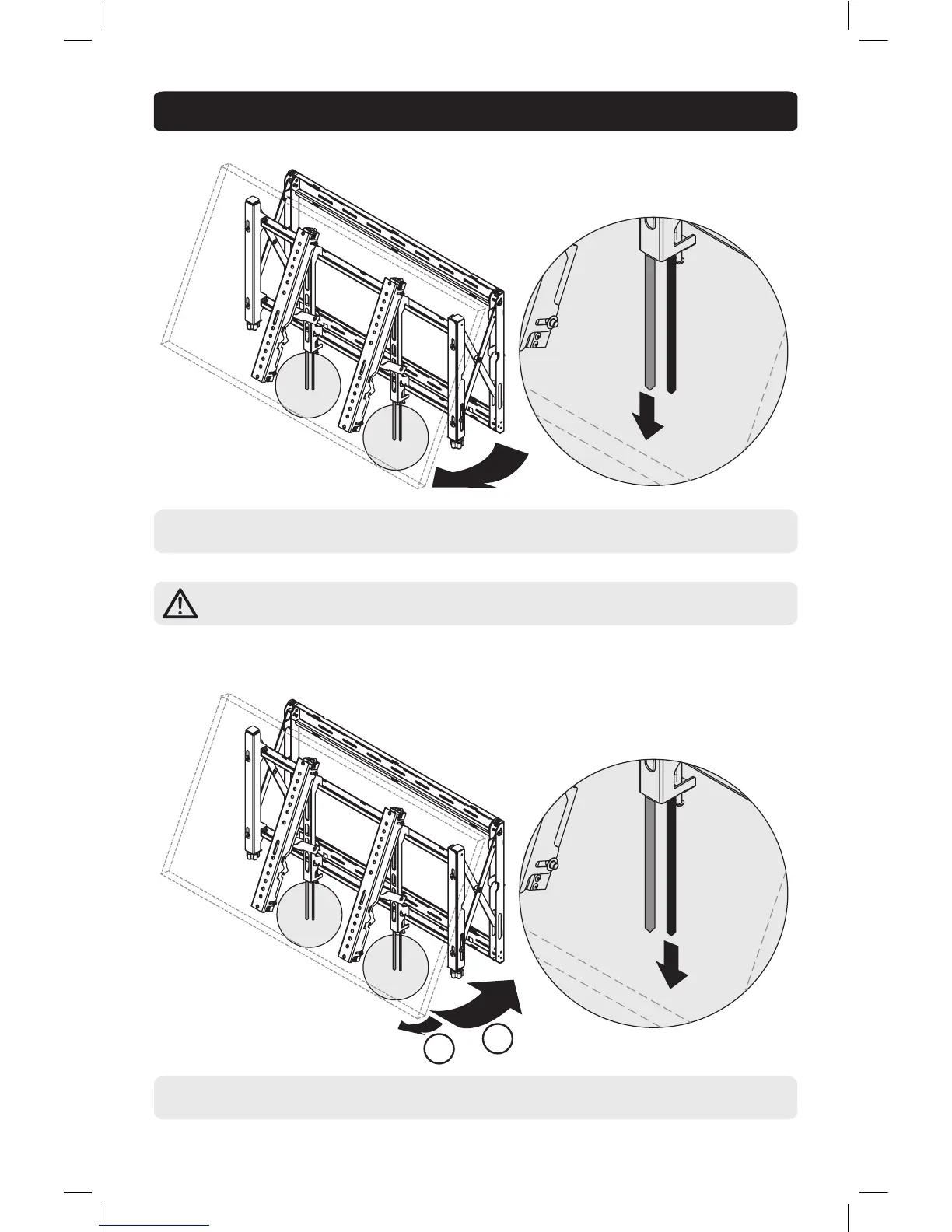
8. Opening and Closing Mount Arms
ORANGE CORD
ORANGE CORD
BLACK CORD
BLACK CORD
PULL
DOWN
PULL
DOWN
Open mount arms by pulling down on the orange cords while an assistant pulls the bottom of the display up and
away from the wall.
Important: Open position is for service access onl. The bracket must be closed during
normal use.
Pull display away from the wall slightly to release kickstand while an assistant pulls down on black cords. Once
black cords are pulled, kickstand will disengage.
Note: The kickstand will automatically engage. Make sure it is in the down position before letting go of the display.
Note: Support the display until the mount arms are engaged in the closed position.
To Close
To Open
13-09-030-9332E8-EN.indd 11 4/3/2014 2:58:07 PM



 To Next Page