9
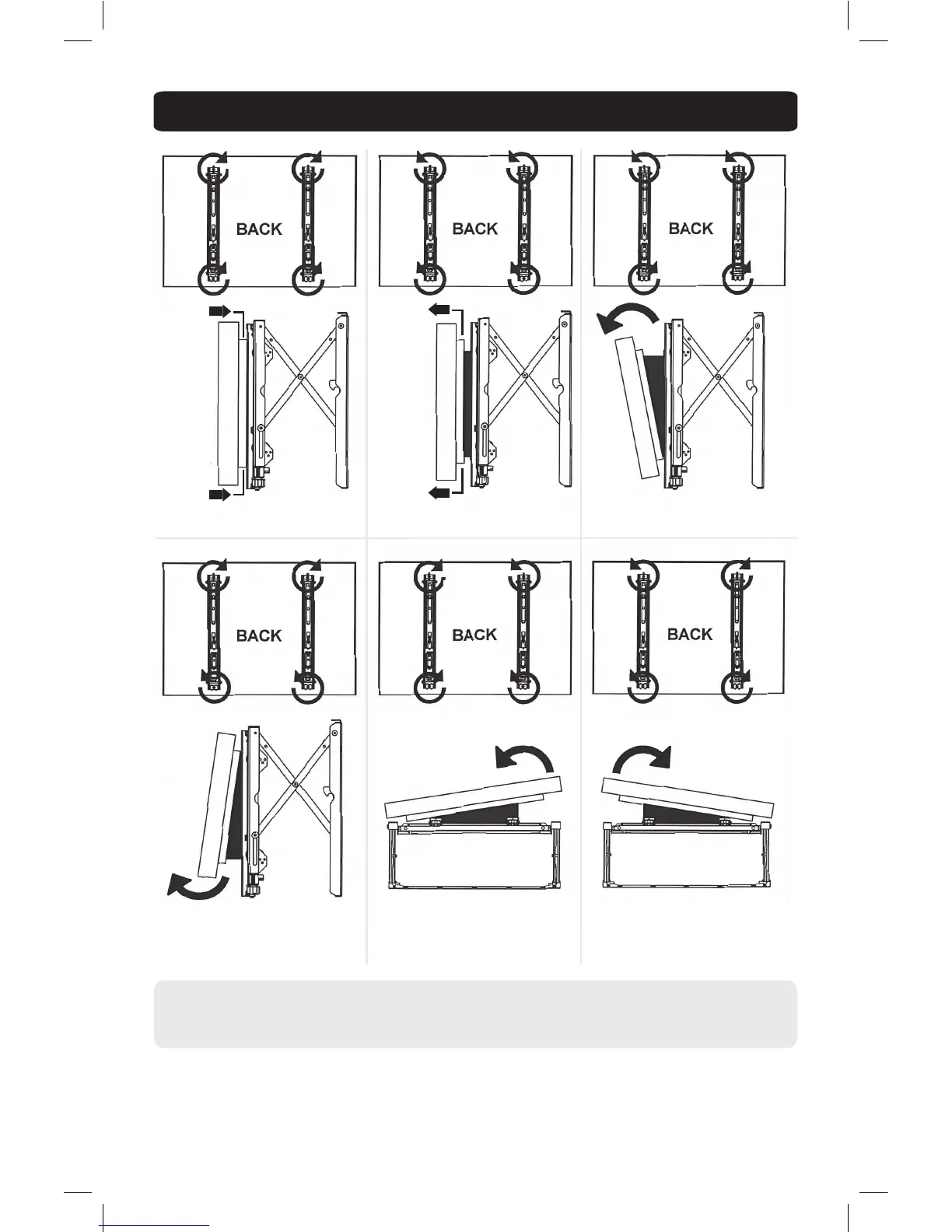
5. Tilt and Depth Adjustment
Adjust display as desired.
• Turn knob CLOCKWISE to move corner towards the wall.
• Turn knob COUNTER-CLOCKWISE to move corner away from the wall.
Note: Adjustments are made with the wall bracket open (see step 8 for instructions on opening the unit) and you facing the back of
your display.
IN OUT TILT FORWARD
TILT BACKWARD TILT RIGHT TILT LEFT
13-09-030-9332E8-EN.indd 9 4/3/2014 2:58:04 PM



 To Next Page