Warranty
Registration
Register online today for a chance
to win a FREE Tripp Lite product!
www.tripplite.com/warranty
1
Owner’s Manual
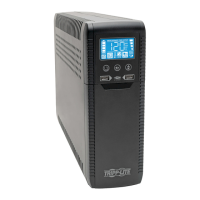
ECO-UPS
™
Systems with LCD
Models: ECO650LCD, ECO850LCD
Not suitable for mobile applications
Important Safety Instructions 2
Basic Operation 3
UPS On/Off 3
LCD Features 3
Display Power Conditions 3
ECO Energy-Saving Feature 3
Enable/Disable Alarm 3
LCD Brightness 4
Self-test 4
Error Messages 4
Features 4
Storage and Service 5
Warranty Registration 6
Español 7
Français 13
1111 W. 35th Street, Chicago, IL 60609 USA
www.tripplite.com/support
Copyright © 2010 Tripp Lite. All rights reserved.
The ECO Energy-Saving Feature allows your UPS to save energy by automatically turning off
designated outlets when your computer is off or in standby mode. When the UPS detects
that your computer has been turned off or in standby mode for 3 minutes, it will turn off the
outlets marked “ECO”. The 3 minute delay ensures that the outlets remain powered during a
reboot, momentary cable disconnection or similar transitory event.
201010198.indb 1 12/21/2010 11:47:34 AM

 Need help?
 General




 To Next Page