
 Need help?
Do you have a question about the Tripp Lite N784-001-SC and is the answer not in the manual?
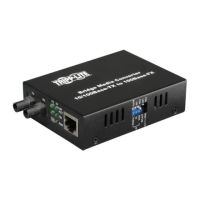
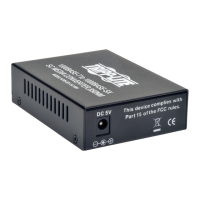
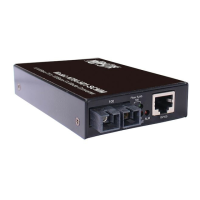
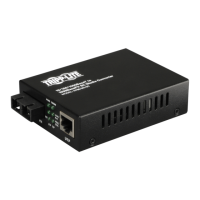
Details the physical layout of the converter's front, side, and rear panels.
Explains how to connect the converter using the provided AC-DC power adapter.
Details the procedure for powering the converter via a USB port.
Guides on setting DIP switches to select the power source.
Explains how to set DIP switches for network communication parameters like duplex and speed.
Outlines the terms and duration of the product's limited warranty.
Instructions for registering the product for service and promotions.
Provides essential FCC and WEEE compliance information for users.
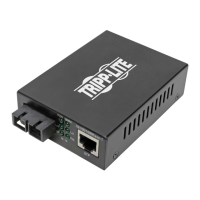
The Tripp Lite N784 Series Media Converter is a standalone physical layer device designed to bridge 10/100BaseT(X) Ethernet segments with 100BaseFX fiber optic segments within the same network. This converter facilitates seamless communication between twisted pair (TP) and fiber optic cabling, making it suitable for extending network reach or integrating different network media types.
The primary function of the N784 Series is to convert electrical signals from a 10/100BaseT(X) Ethernet port to optical signals for a 100BaseFX fiber port, and vice versa. It supports both 10 Mbps and 100 Mbps Ethernet speeds, and can operate in full-duplex or half-duplex modes on both the TP and FX sides. The device is equipped with auto MDI/MDI-X functionality on its Ethernet port, simplifying connection to either a NIC-type (MDI) or HUB/Switch-type (MDI-X) port without requiring a specific cable type (straight-through or cross-over).
A key feature of this media converter is its support for Link Fault Pass-through (LFP). LFP is a diagnostic function that allows the converter to propagate link status from one port to the other, notifying remote nodes of network link failures. If the TP port loses its link (e.g., cable unplugged), the converter stops transmitting over the fiber port, causing the remote fiber link to fail. Similarly, if the fiber link fails, the converter restarts auto-negotiation on the TP port but remains in a link failure state, causing the remote TP node link to fail. This feature enhances network maintainability by making it easier to trace and identify the source of link failures. It's important to note that LFP functionality works only when two LFP-capable converters from the same manufacturer are used as a pair. Using an odd number of converters or models that do not support LFP will prevent this function from working.
The N784 Series offers flexible power input options:
A set of DIP switches on the side panel allows for configuration of various operational parameters:
The front panel features several LEDs to provide real-time status information:
While the manual does not detail specific user-level maintenance procedures beyond proper connection and DIP switch configuration, the robust design and diagnostic features contribute to ease of maintenance:
The N784 Series Media Converter is a reliable and versatile solution for integrating different network media, offering essential features for network extension and fault diagnosis in various environments.
 General
| Brand | Tripp Lite |
|---|---|
| Model | N784-001-SC |
| Category | Media Converter |
| Language | English |


 To Next Page
