EasyManua.ls Logo

Tripp Lite U460-003-3AG - User Manual

Tripp Lite U460-003-3AG
8 pages
Print Icon
To Next Page IconTo Next Page
Loading...
1
Owner’s Manual
3-Port USB Hubs
Models: U460-003-3AG, U460-003-3AG-C,
U460-003-3AGB-C
USB Type-C
®
and USB-C
®
are registered trademarks of USB
Implementers Forum.
1111 W. 35th Street, Chicago, IL 60609 USA
tripplite.com/support
Copyright © 2021 Tripp Lite. All rights reserved.
Este manual está disponible en español en la página
de Tripp Lite: tripplite.com
Ce manuel est disponible en français sur le site Web
de Tripp Lite : tripplite.com
Русскоязычная версия настоящего руководства
представлена на веб-сайте компании Tripp Lite по
адресу: tripplite.com
WARRANTY REGISTRATION
Register your product today and be
automatically entered to win an ISOBAR
®
surge protector in our monthly drawing!
tripplite.com/warranty
Question and Answer IconNeed help?

Do you have a question about the Tripp Lite U460-003-3AG and is the answer not in the manual?

Summary

Product Warranty Registration

Register Your Product

Register your product to win a FREE Tripp Lite product in a monthly drawing.

Package Contents

Product Features

Installation Guide

Connect to Host Device

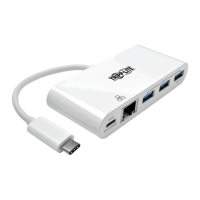
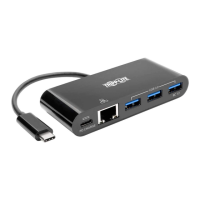
Connect the unit's USB Type-C connector to your laptop, tablet, or other device.

Connect USB Devices

Connect up to three USB devices to the USB-A hub ports on the unit.

Connect to Network

Connect the unit's RJ45 port to a network using a UTP cable.

Charge Host Device via USB-C PD

Charge host device by connecting its AC wall charger to the adapter's USB-C PD port.

Product Specifications

3-Year Limited Warranty

FCC Compliance Notice

Interference Correction Measures

Measures to correct harmful interference to radio or television reception caused by the equipment.

WEEE Compliance Information

Summary

Product Warranty Registration

Register Your Product

Register your product to win a FREE Tripp Lite product in a monthly drawing.

Package Contents

Product Features

Installation Guide

Connect to Host Device

Connect the unit's USB Type-C connector to your laptop, tablet, or other device.

Connect USB Devices

Connect up to three USB devices to the USB-A hub ports on the unit.

Connect to Network

Connect the unit's RJ45 port to a network using a UTP cable.

Charge Host Device via USB-C PD

Charge host device by connecting its AC wall charger to the adapter's USB-C PD port.

Product Specifications

3-Year Limited Warranty

FCC Compliance Notice

Interference Correction Measures

Measures to correct harmful interference to radio or television reception caused by the equipment.

WEEE Compliance Information

Tripp Lite U460-003-3AG Specifications

General IconGeneral
BrandTripp Lite
ModelU460-003-3AG
CategorySwitch
LanguageEnglish

Related product manuals