
 Need help?
Do you have a question about the Tristan Auron BT2D7011 and is the answer not in the manual?
Key considerations for safe and proper installation of the unit in a vehicle.
Step-by-step guide for the DIN Front-Mount installation method.
Steps for connecting the unit's power supply and ground wires correctly.
Information on the reset button's location and when to use it.
Details on the physical buttons and sensors on the unit's front panel.
Explanation of all buttons and their functions on the included remote control.
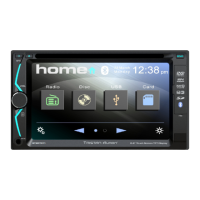
Interacting with the Home Menu to select modes, change pages, and access settings.
Operating the radio functions including tuning, presets, and audio settings.
Controls for playing discs, including track navigation, display settings, and playback modes.
Operating USB and SD card modes, including track navigation and file selection.
Managing Bluetooth connections, dialing, and music playback.
 General
| Screen Size | 7 inches |
|---|---|
| Operating System | Android |
| GPS Navigation | Yes |
| Bluetooth | Yes |
| USB | Yes |
| SD Card Slot | Yes |
| DVD Player | Yes |
| Rear View Camera Input | Yes |
| Display Type | LCD |
| Touchscreen | Yes |
| AUX Input | Yes |
| Steering Wheel Control | Yes |
| RAM | 1 GB |
| Internal Storage | 16 GB |
| Processor | Quad-Core |
| Power Output | 4 x 45 W |
| Resolution | 1024 x 600 |
| Supported Media Formats | MP3, MP4, WMA, JPEG |
| Dimensions | 178 x 100 x 160 mm |
| Radio Tuner | AM/FM with RDS |

 To Next Page