EasyManua.ls Logo

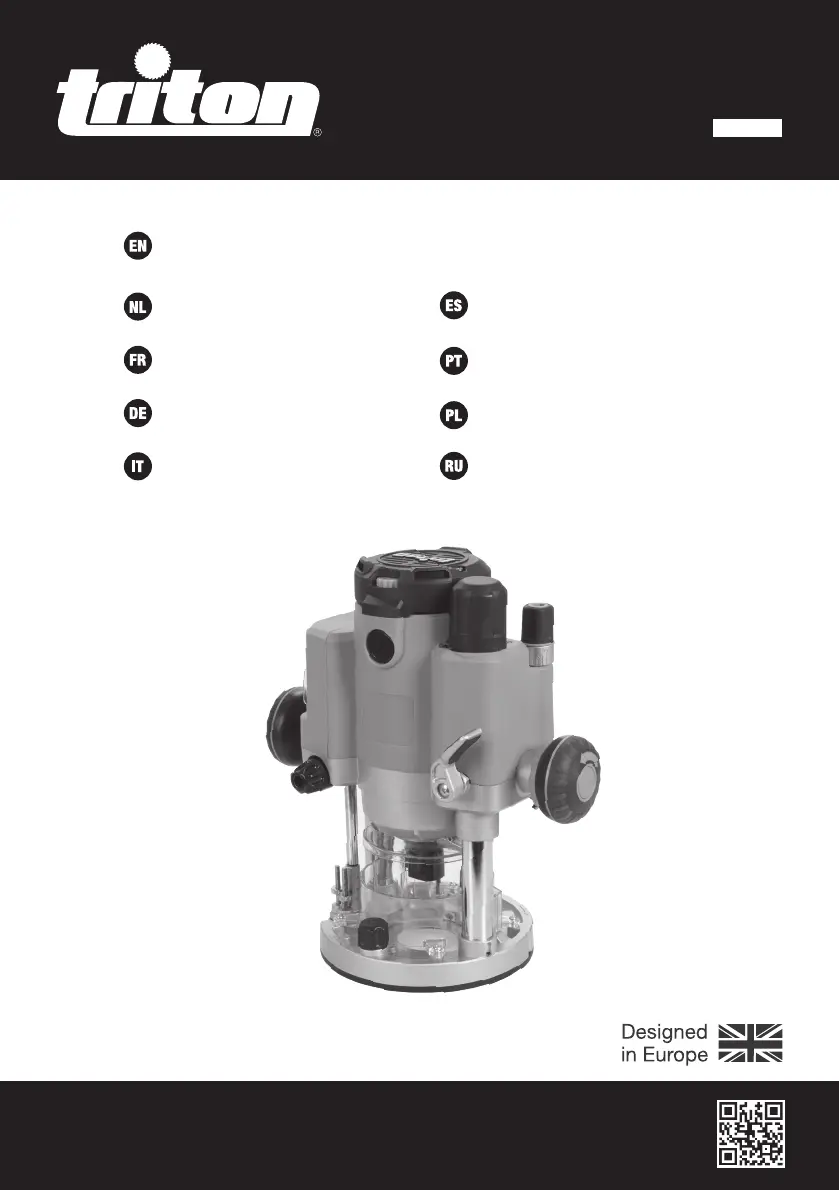
Triton TRA002 - User Manual

Triton TRA002
84 pages
Print Icon
To Next Page IconTo Next Page
Loading...
Version date: 13.08.21
tritontools.com
2400W Dual Mode
Precision Plunge Router
Operating & Safety Instructions
Bedienings- en
veiligheidsvoorschriften
Instruções de
Operação e Segurança
Instructions d’utilisation
et consignes de sécurité
Instrukcja obsługi
i bezpieczeństwa
Sicherheits- und
Bedienungsanleitung
Инструкции по эксплуатации и
правила техники безопасности
Istruzioni per l’uso
e la sicurezza
Instrucciones de
uso y de seguridad
TRA002
EU333349_EU962859_EU978407_EU988228_Manual.indd 1EU333349_EU962859_EU978407_EU988228_Manual.indd 1 13/08/2021 09:1713/08/2021 09:17

Table of Contents

Questions and Answers

  • T
    Timothy HawkinsJul 28, 2025
    Why does my Triton TRA002 Wood Router run or cut slowly?
    • S
      Shane MartinJul 28, 2025
      If your Triton Wood Router runs or cuts slowly, the issue might be a blunt or damaged cutter, which requires re-sharpening or replacement. Alternatively, the speed controller may be set too low, so increase the variable speed setting. Lastly, the motor could be overloaded; try reducing the pushing force on the router.
  • P
    Phyllis ShepardAug 1, 2025
    What to do if my Triton TRA002 will not operate?
    • R
      Rachel GarciaAug 1, 2025
      If your Triton Wood Router will not operate, first check that power is available at the source. If power is available, the brushes may be worn or sticking. Disconnect the power, open the Brush Access Covers, and check the brushes for damage or heavy wear. If the issue persists, the switch may be faulty and require servicing by an authorized Triton service center.
  • M
    Mark LeeAug 5, 2025
    Why is there excessive vibration in my Triton TRA002 Wood Router?
    • D
      David KnoxAug 5, 2025
      Excessive vibration in your Triton Wood Router can be due to an incorrectly fitted or loose router bit. Refit or tighten the router bit to resolve this. If the router bit is bent or damaged, replace it.
  • K
    Katrina WilliamsAug 9, 2025
    What to do if the Micro Winder on my Triton TRA002 clicks or is not adjusting?
    • A
      Amanda KramerAug 9, 2025
      If the Micro Winder on your Triton Wood Router clicks or isn't adjusting, it could be that the Plunge Lock Lever is engaged; release it. It may also be that you've reached the end of the adjustment range; in this case, reset the Micro Winder and set the depth using the Depth Stop.
  • T
    tonya49Aug 14, 2025
    How to fix an inaccurate cutting profile with my Triton TRA002 Wood Router?
    • D
      Danielle CrawfordAug 14, 2025
      If your Triton Wood Router is producing an inaccurate cutting profile, ensure the Depth Stop corresponds to the maximum amount of cut permitted by the Turret Stops. Also, check if the router bit or Collet is incorrectly fitted or loose; tighten the router bit, Collet, and cutter assembly.
  • R
    richardsonjeffreyAug 18, 2025
    What to do if heavy sparking occurs inside the motor housing of my Triton Wood Router?
    • M
      Maureen DaviesAug 18, 2025
      If heavy sparking occurs inside the motor housing of your Triton Wood Router, the brushes may not be moving freely. Disconnect the power, remove the brushes, and clean or replace them. If the issue persists, the motor may be damaged or worn, requiring service by an authorized Triton service center.
  • A
    Alexander SmithAug 23, 2025
    What to do if my Triton TRA002 has no function when the ON/OFF Rocker Switch is operated?
    • M
      Marissa CombsAug 23, 2025
      If your Triton Wood Router has no function when the ON/OFF Rocker Switch is operated, first check the power supply. If the power supply is working, the ON/OFF Rocker Switch may be defective and require replacement at an authorized Triton service center.

Summary

Operating & Safety Instructions

Multilingual Operating & Safety Instructions

Provides safety and operational guidance across multiple languages.

Product Information and Specifications

Introduction

Welcome message and importance of reading the manual for safe operation.

Technical Abbreviations Key

Defines abbreviations used in technical specifications and warnings.

Product Specification

Details technical specifications like model, voltage, power, speed, and dimensions.

General Power Tool Safety

General Safety Warnings

Comprehensive safety warnings and instructions for power tool usage.

Work Area and Electrical Safety

Guidelines for safe work environments and electrical connections.

Personal Safety Precautions

Advice on personal protective equipment and safe operating practices.

Router Setup and Preparation

Router-Specific Safety

Specific safety precautions for operating routers.

Product Familiarisation

Identifies all parts of the router and accessories.

Unpacking and Before Use Checks

Instructions for unpacking, inspecting, and preparing the tool before operation.

Router Operations and Adjustments

Intended Use

Defines the proper applications and limitations for the plunge router.

Collet and Router Bit Installation

Step-by-step guide for securely fitting router bits and collets.

Dust Extraction System

Instructions for connecting and using the dust extraction system.

Extended Baseplate and Fence Installation

Guide for attaching the extended baseplate and fence for stability.

Guide Bush Mounting and Installation

Steps for installing guide bushes for template routing.

Powering and Lighting Controls

Procedures for power control and operating the LED work light.

Cutting Depth Adjustment Methods

Explains methods for adjusting cutting depth accurately.

Variable Speed Control

Guidance on selecting the appropriate speed setting for different cuts.

Performing Various Cuts

Techniques for making single, multiple pass, and circle cuts.

Template Routing and Table-Mounted Operation

Instructions for template routing and table-mounted use.

Accessing Baseplate Screw Threads

How to access screw threads for table mounting.

Maintenance and Support

Accessories and Spare Parts

Information on available accessories and spare parts.

Maintenance and General Inspection

Procedures for routine checks, cleaning, and lubrication for tool longevity.

Troubleshooting Guide

Common problems and their solutions for the router.

Guarantee and Warranty Information

Product Guarantee and Registration

Information on product guarantee and online registration.

Australian Warranty Details

Details of warranty coverage and consumer rights in Australia.

Warranty Exclusions

Lists conditions and parts not covered by the product warranty.

Triton TRA002 Specifications

General IconGeneral
Base TypePlunge
Weight6.5 kg
Voltage230V
Collet Size1/4", 1/2"
Speed8000-21000 RPM

Related product manuals