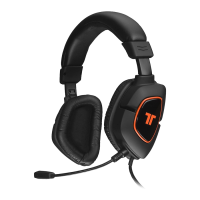
Need help?
Do you have a question about the Tritton Ark100 and is the answer not in the manual?
Decreases the audio volume level for the headset.
Increases the audio volume level for the headset.
Cycles through different equalizer sound profiles.
Toggles the headset power state.
Activates or deactivates the microphone.
Adjusts the color and brightness of the headset's RGB lighting.
Controls the visual effects and patterns of the RGB lighting.
Switch between active and passive operational modes.
Step-by-step guide for inserting batteries into the headset.
Instructions for turning on the headset and volume indication.
Steps for physically connecting the headset to the audio source.
Visual guide to changing the headset's RGB lighting color.
Visual guide to modifying the intensity of the RGB LEDs.
How to cycle through different RGB lighting modes.
Instructions for turning the LED lighting on or off.
Instructions to change the speed of RGB lighting effects.
Guide to muting the headset microphone.
How to enable hearing your own voice through the headset.
Information on the expected duration of headset battery life.
Details on the headset's power saving features and timers.
Switching the headset to passive mode when battery is low.
Cycling through different equalizer modes (Optimal, Bass Boost, Treble Boost).
Configuring PS4 settings for optimal headset audio output.
 General
| Connectivity | Wired |
|---|---|
| Frequency Response | 20Hz - 20kHz |
| Microphone | Yes |
| Weight | 350g |
| Audio Output Mode | Stereo |
| Impedance | 32 Ohms |
| Microphone Frequency Response | 100 Hz - 10 kHz |
| Compatibility | PC, PS4 |
| Form Factor | Circumaural |


 To Next Page