Need help?
Do you have a question about the Trividia Health Metrix and is the answer not in the manual?
Details of the meter's buttons and controls for operation and setup.
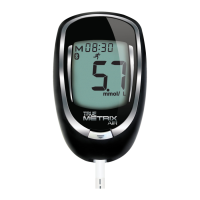
Identification and description of key external components of the TRUE METRIX meter.
Explanation of the icons, symbols, and readings shown on the meter's display screen.
Instructions on how to correctly insert and apply samples to the TRUE METRIX test strip.
Correct and incorrect methods for applying blood samples to the test strip for accurate readings.
Explanation of Lot Number, Expiration Dates, and Control Test Ranges on the test strip vial.
Understanding the Lot Number, Expiration Dates, and Control Solution Levels on the bottle.
Guidance on initial meter setup, including time, date, and feature activation.
How to use Event Tags to categorize blood glucose test results by specific events.
How the meter performs an automatic self-test to verify system functionality.
Recommended scenarios for performing control tests to ensure system accuracy.
Step-by-step instructions for using control solution with the TRUE METRIX meter.
Detailed instructions for collecting a blood sample from the fingertip.
Guidance and considerations for collecting a blood sample from the forearm.
Comprehensive guide on performing blood glucose tests using the TRUE METRIX meter.
How to mark and record blood glucose results with Event Tags for better tracking.
Information on comparing TRUE METRIX meter results with laboratory test results.
Explanation of warning messages for blood glucose results outside the normal range.
Instructions on how to set the correct time and date on the TRUE METRIX meter.
How to activate and manage Event Tags and Ketone Test Alerts for personalized monitoring.
Guide to setting up multiple daily reminders to test blood glucose levels.
How to access and view 7-, 14-, and 30-day average blood glucose results.
Instructions on how to browse and view previously stored blood glucose test results.
Detailed steps for cleaning and disinfecting the TRUE METRIX meter to ensure hygiene and longevity.
Procedures for cleaning and disinfecting the lancing device to maintain safety and performance.
Proper care and storage instructions for TRUE METRIX control solution and test strips.
Step-by-step guide for replacing the battery in the TRUE METRIX meter.
Solutions for common problems encountered when using the TRUE METRIX meter.
Explanations for error codes and display messages, with recommended actions.
Information on the meter's compliance with electromagnetic compatibility standards.
Overview of system components and general safety precautions for use.
Key technical details of the TRUE METRIX meter, including range, size, and power.
Recommended operating conditions for the meter and test strips, including humidity and temperature.
 General
| Brand | Trividia Health |
|---|---|
| Model | Metrix |
| Category | Blood Glucose Meter |
| Language | English |

 To Next Page