EasyManua.ls Logo

Trojan VELOCITY 420 - User Manual

Trojan VELOCITY 420
20 pages
Print Icon
To Next Page IconTo Next Page
Loading...
10256 - 1
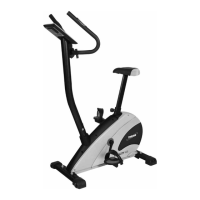
VELOCITY 420
STATIONARY CYCLE
STATIONARY CYCLE CARE, INSTRUCTION
AND ASSEMBLY MANUAL
Question and Answer IconNeed help?

Do you have a question about the Trojan VELOCITY 420 and is the answer not in the manual?

Summary

Safety Instructions

Health Warning

Consult physician prior to exercise; stop immediately if experiencing adverse symptoms.

Access Control

Equipment should be in a supervised area, with children kept away.

Installation

Ensure stable placement on a level surface, in a ventilated, dry indoor environment.

Proper Usage

Use equipment only as intended, one person at a time, and maintain balance.

Safety Instructions (Cont.)

Inspection

Regularly check for damaged parts, use genuine spares, and keep labels intact.

Operating Warnings

Instruct users on proper operation, keep children clear of moving parts, avoid loose clothing.

Electrical Safety

Keep power cord away from heat, check for damage, and avoid use in wet conditions.

User Weight Limitations

The TROJAN VELOCITY 420 has a maximum user weight limit of 120 kg.

Pre Assembly Check List

Hardware List

Hardware List (Cont.)

Assembly Steps

Step 1: Stabiliser Assembly

Attach front and rear stabilisers to the main frame using bolts and washers.

Step 2: Handlebar Post Assembly

Connect computer wire, insert handlebar post, secure with screws and washers.

Step 3: Handlebar Assembly

Attach handlebar to front post, connect wires, and mount the computer.

Assembly Steps (Cont.)

Step 4: Seat Assembly

Attach the seat to the seat post and secure the assembled post into the main frame.

Step 5: Pedal Assembly

Attach pedal straps and thread pedals into crank arms, noting R & L thread direction.

Step 6: Electrical Supply

Connect the power adapter to the designated adapter jack on the equipment.

Computer Functions

Computer Instructions

Details key functions like START/STOP, UP, DOWN, ENTER, RECOVERY, and MODE operations.

Workout Selection

Guide on selecting desired workout modes from Manual, Pre-programs, Body Fat, etc.

Setting Workout Parameters

Instructions on setting workout parameters such as Time, Distance, Calories, and Age.

Computer Functions (Cont.)

Program Operation

Explains the operation of Manual, Pre-set, and Body Fat programs.

Body Types

Classification of body types based on calculated body fat percentage.

Computer Functions (Cont.)

Target Heart Rate Program

How to set target heart rate and how the computer automatically adjusts resistance.

Heart Rate Control Program

Details the P16 (60%) and P17 (85%) target heart rate control programs.

User Programs

Instructions for setting up and using custom user-defined workout programs.

Fitness Tips and Techniques

Aerobic Exercise

Definition and benefits of aerobic exercise for cardiovascular health.

Weight Training

Importance of weight training for muscle toning, building, and strengthening.

Muscle Chart

Diagram showing muscle groups targeted by the exercise cycle.

Conditioning Guidelines

Exercise Intensity

Guidance on maintaining target heart rate zone for effective aerobic exercise.

Warm-up and Cool-down

Workout Guidelines

Structure of a workout including warm-up, exercise, and cool-down phases.

Exercise Frequency

Recommendations for workout frequency to improve or maintain fitness levels.

Suggested Stretches

Step-by-step instructions for performing essential stretching exercises.

Frequently Asked Questions - Velocity 420

I. The consol is showing the incorrect readings.

Troubleshooting steps for incorrect console readings, checking connections and transformer.

2. The functions are not working properly or display incorrectly.

Steps to diagnose and resolve issues with display or functions not working.

3. There is no pulse reading or the data displayed is unstable.

Solutions for pulse sensor connectivity and data instability issues.

4. My LCD is dim

Advice on addressing a dim LCD screen, including checking sunlight exposure.

5. Maintenance and cleaning.

Guidelines for proper cleaning and maintenance of the exercise equipment.

Parts List

Exploded Drawing

Trojan I Year Limited Warranty

Exclusions

Specifies conditions and damages not covered by the product warranty.

Waiver

Outlines the consumer's waiver of other warranties in favor of the provided one.

Proof of Purchase

Details the necessary documentation required for warranty claims.

Trojan Repairs Procedure

I. Procedure for repairs

Steps to follow for reporting and rectifying faults or breakdowns.

2. Cost of Repairs

Information regarding the cost of repairs for items under and out of warranty.

Summary

Safety Instructions

Health Warning

Consult physician prior to exercise; stop immediately if experiencing adverse symptoms.

Access Control

Equipment should be in a supervised area, with children kept away.

Installation

Ensure stable placement on a level surface, in a ventilated, dry indoor environment.

Proper Usage

Use equipment only as intended, one person at a time, and maintain balance.

Safety Instructions (Cont.)

Inspection

Regularly check for damaged parts, use genuine spares, and keep labels intact.

Operating Warnings

Instruct users on proper operation, keep children clear of moving parts, avoid loose clothing.

Electrical Safety

Keep power cord away from heat, check for damage, and avoid use in wet conditions.

User Weight Limitations

The TROJAN VELOCITY 420 has a maximum user weight limit of 120 kg.

Pre Assembly Check List

Hardware List

Hardware List (Cont.)

Assembly Steps

Step 1: Stabiliser Assembly

Attach front and rear stabilisers to the main frame using bolts and washers.

Step 2: Handlebar Post Assembly

Connect computer wire, insert handlebar post, secure with screws and washers.

Step 3: Handlebar Assembly

Attach handlebar to front post, connect wires, and mount the computer.

Assembly Steps (Cont.)

Step 4: Seat Assembly

Attach the seat to the seat post and secure the assembled post into the main frame.

Step 5: Pedal Assembly

Attach pedal straps and thread pedals into crank arms, noting R & L thread direction.

Step 6: Electrical Supply

Connect the power adapter to the designated adapter jack on the equipment.

Computer Functions

Computer Instructions

Details key functions like START/STOP, UP, DOWN, ENTER, RECOVERY, and MODE operations.

Workout Selection

Guide on selecting desired workout modes from Manual, Pre-programs, Body Fat, etc.

Setting Workout Parameters

Instructions on setting workout parameters such as Time, Distance, Calories, and Age.

Computer Functions (Cont.)

Program Operation

Explains the operation of Manual, Pre-set, and Body Fat programs.

Body Types

Classification of body types based on calculated body fat percentage.

Computer Functions (Cont.)

Target Heart Rate Program

How to set target heart rate and how the computer automatically adjusts resistance.

Heart Rate Control Program

Details the P16 (60%) and P17 (85%) target heart rate control programs.

User Programs

Instructions for setting up and using custom user-defined workout programs.

Fitness Tips and Techniques

Aerobic Exercise

Definition and benefits of aerobic exercise for cardiovascular health.

Weight Training

Importance of weight training for muscle toning, building, and strengthening.

Muscle Chart

Diagram showing muscle groups targeted by the exercise cycle.

Conditioning Guidelines

Exercise Intensity

Guidance on maintaining target heart rate zone for effective aerobic exercise.

Warm-up and Cool-down

Workout Guidelines

Structure of a workout including warm-up, exercise, and cool-down phases.

Exercise Frequency

Recommendations for workout frequency to improve or maintain fitness levels.

Suggested Stretches

Step-by-step instructions for performing essential stretching exercises.

Frequently Asked Questions - Velocity 420

I. The consol is showing the incorrect readings.

Troubleshooting steps for incorrect console readings, checking connections and transformer.

2. The functions are not working properly or display incorrectly.

Steps to diagnose and resolve issues with display or functions not working.

3. There is no pulse reading or the data displayed is unstable.

Solutions for pulse sensor connectivity and data instability issues.

4. My LCD is dim

Advice on addressing a dim LCD screen, including checking sunlight exposure.

5. Maintenance and cleaning.

Guidelines for proper cleaning and maintenance of the exercise equipment.

Parts List

Exploded Drawing

Trojan I Year Limited Warranty

Exclusions

Specifies conditions and damages not covered by the product warranty.

Waiver

Outlines the consumer's waiver of other warranties in favor of the provided one.

Proof of Purchase

Details the necessary documentation required for warranty claims.

Trojan Repairs Procedure

I. Procedure for repairs

Steps to follow for reporting and rectifying faults or breakdowns.

2. Cost of Repairs

Information regarding the cost of repairs for items under and out of warranty.

Trojan VELOCITY 420 Specifications

General IconGeneral
TypeMountain Bike
BrakesMechanical Disc Brakes
WheelsAlloy
CranksetAlloy
PedalsPlatform Pedals
SaddleMTB Saddle
HandlebarAlloy, Riser Bar
StemAlloy
Weight14.5 kg