AIS-CTRX CARBON Class B AIS Transponder Manual
1.1E 39 CTRX CARBON Manual
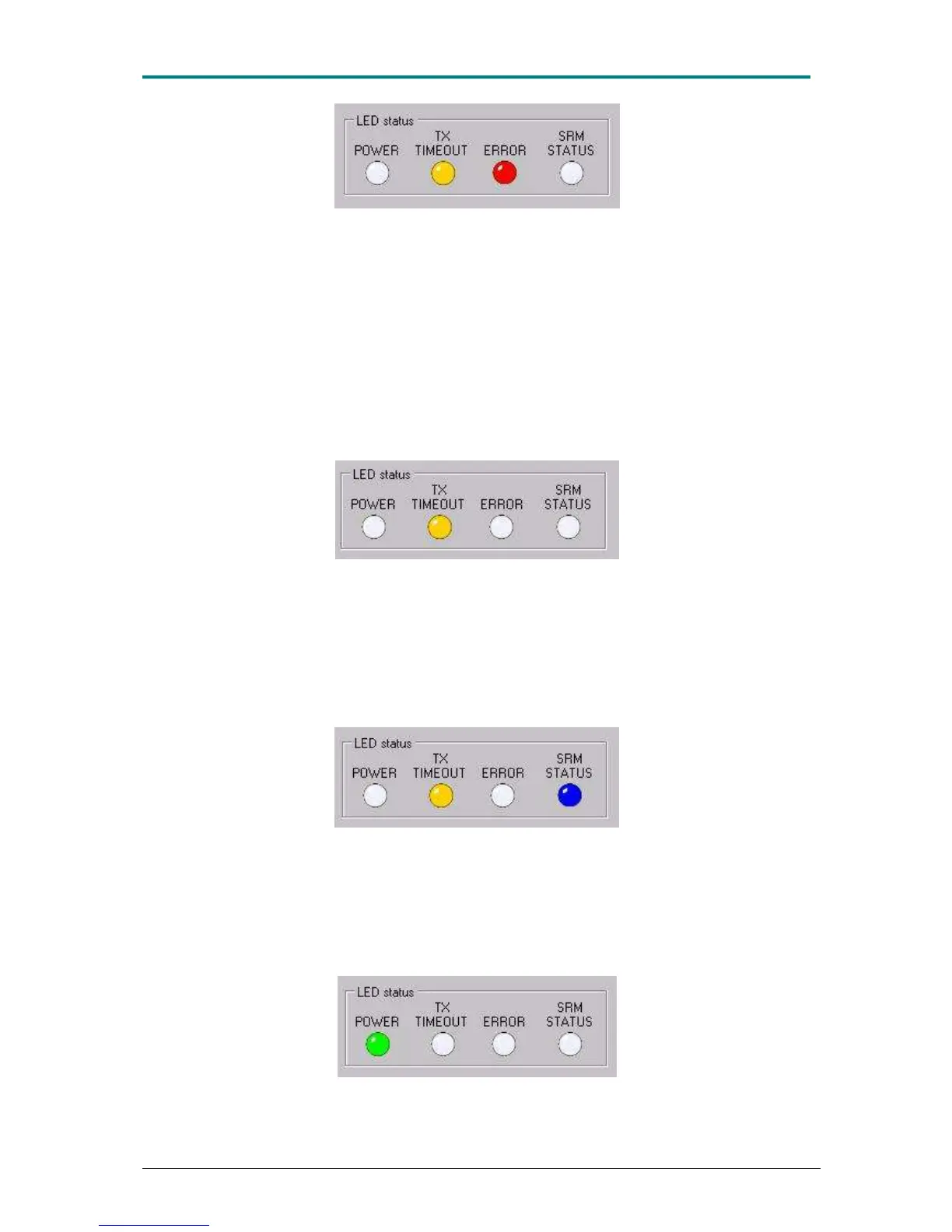
Figure 21 Before the AIS-CTRX CARBON has been programmed, both the yellow and red light
diodes will shine both in proAIS and on the LED indicator on the transponder. Yellow and red LED are
also displayed if a serious fault has arisen on the transponder. The most common fault is, however,
that the transponder has no valid MMSI, so always reconfirm this first.
The red ‖ERROR‖ the diode can also mean the following:
• The transmission has stopped itself (transmitted more than 1 s) and thereby turned
itself off.
• GPS has not started to navigate after 30 minutes
• AIS-CTRX CARBON unable to perform standing wave measurement on the
antenna.
• Background noise is too high which prevents the transponder from transmitting (-
77dBm).
Figure 22 The yellow diode will shine in case of some elementary faults, but does not means that the
transponder cannot transmit its position to others.
The yellow ‖TX TIMEOUT‖ LED can mean the following faults:
• Transponder’s GPS has not started to navigate or does not navigates which means
that AIS-CTRX CARBON cannot transmit as it has no position data.
• Transponder cannot transmit because the channel is busy with another transmitting
transponder or because of interference.
Figure 23 The blue LED will shine when AIS-CTRX CARBON is set to function only as an AIS
receiver, ‖SILENT MODE‖.
The blue ‖SRM STATUS‖ LED means that AIS-CTRX CARBON only accepts AIS
data and that the transmitter has been set to quiet mode via proAIS or by the blue
‖S‖ button on the transponder being pressed down for 3 seconds.
Figure 24 The green LED means that everything is OK.


 To Next Page