Model 7365
4.7 Check photos
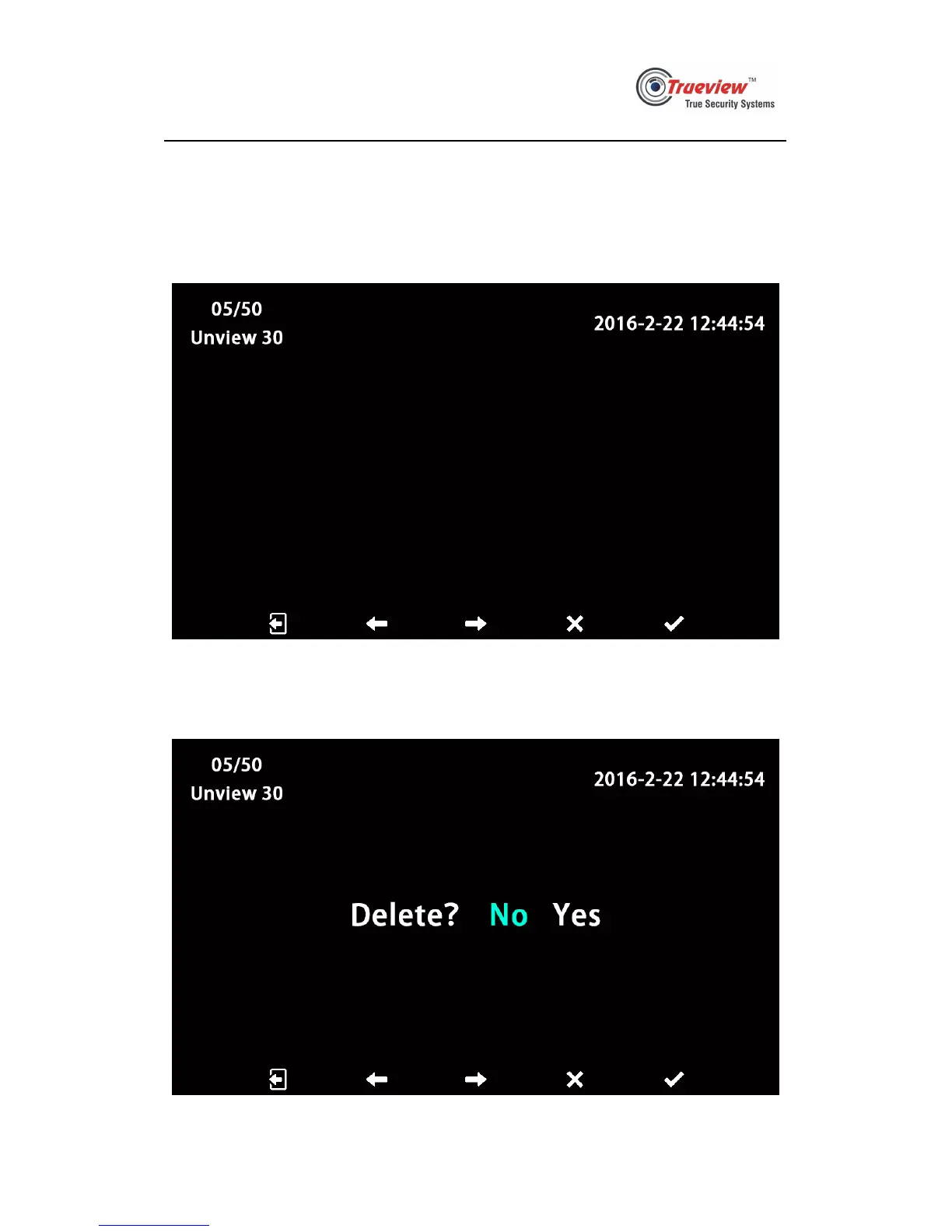
4.7.1 When a monitor is standby, press photographing key to check photos. See pic
4.7.1 below, the 5 icons from left to right means “exit”, “previous”, “next”,
“delete”, “confirm”. On the top left corner, it shows the ordinal of current
photo, the amount of photos stored, and the amount of new photos.
Pic 4.7.1
4.7.2 User can press the key under “delete” icon to delete current photo. See pic
4.7.2 below, the 5 icons from left to right means “return”, “left”, “right”,
“cancel”, “confirm”.
Pic 4.7.2


 To Next Page