Model 7365
4.8 Settings
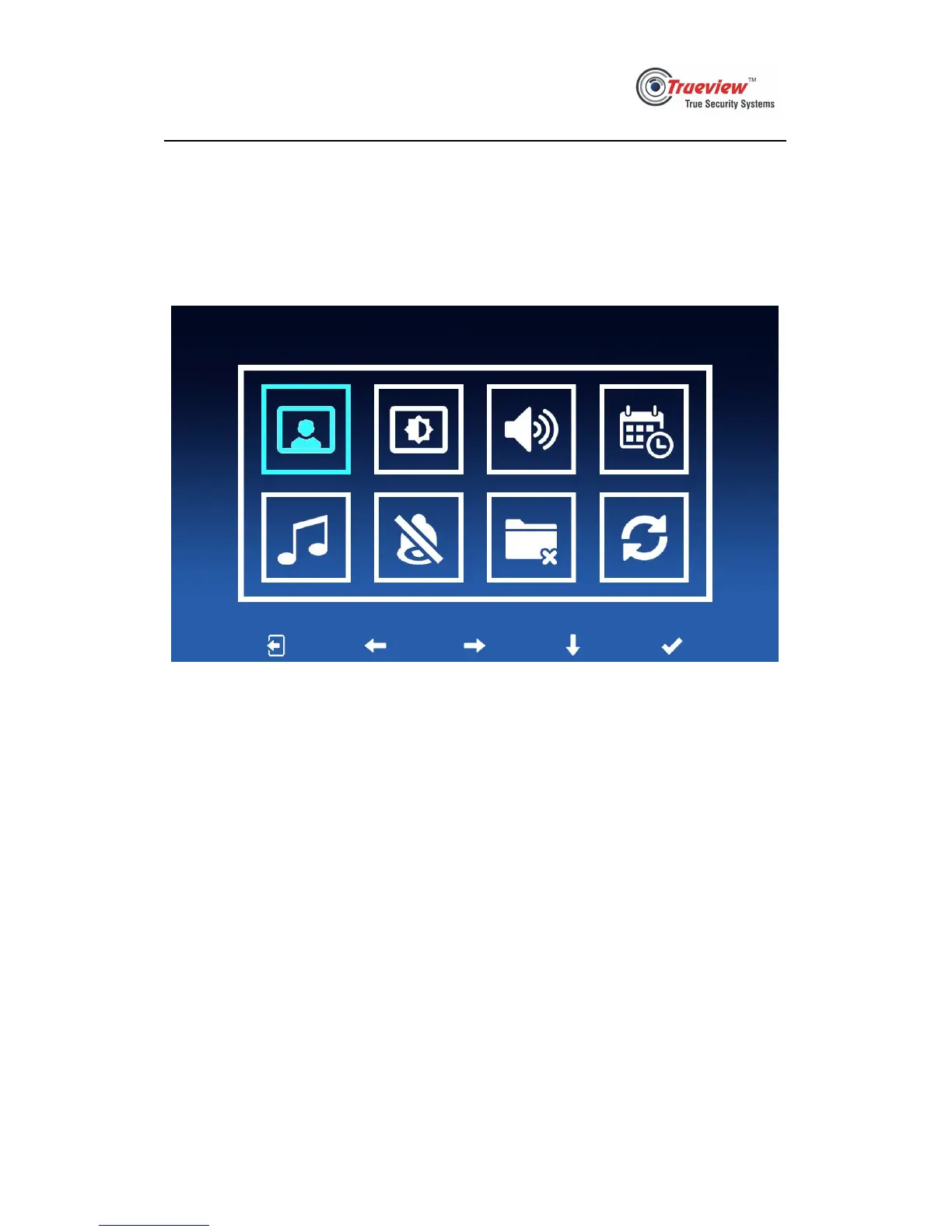
4.8.1 Long press monitoring key for 2 seconds to enter settings page. See pic 4.8.1
below, the 5 smaller icons from left to right means “exit”, “left”, “right”,
“down”, “confirm”. The eight bigger icons means “check photos”, “video
settings”, “volume settings”, “date & time settings”, “ringtone selection”,
“Do-Not-Disturb settings”, “delete all photos”, “restore to factory settings”.
Pic 4.8.1
4.8.2 When monitoring, being called, calling, user can long press talk key to
enable/disable Do-Not-Disturb function temporarily.


 To Next Page