17
16
Automatic Massage Modes
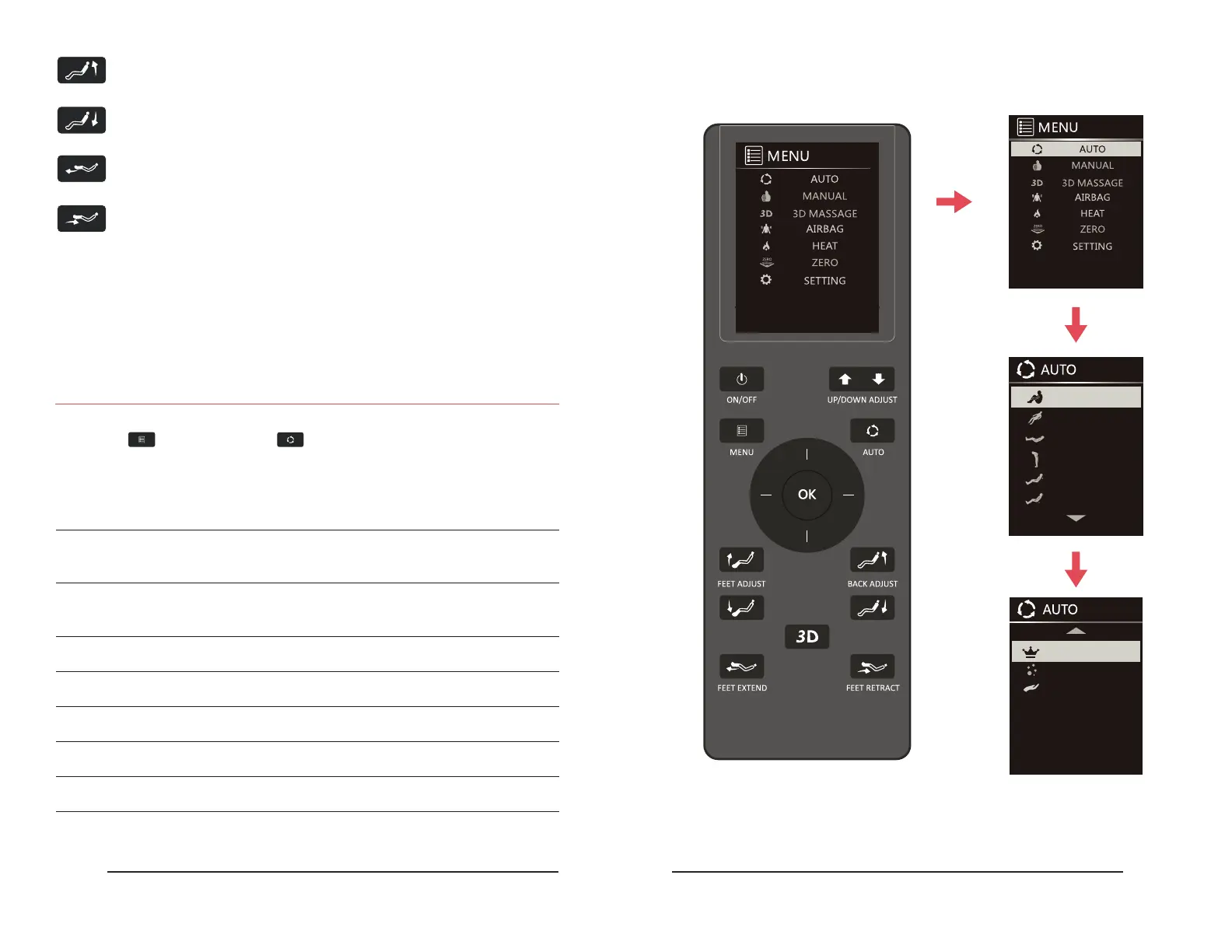
Display Screen Operation
Use the Direction Dial to choose one of the 9 Auto Massage programs:
Warm Up: Loosen body physique.
Stretch: A full-body stretching massage where the calf massagers
will lower while the backrest reclines.
Relaxation: Soft and comfortable deep massage to ease
physical fatigue.
Light Massage: Soft massage session. Encourages exibility and recovery.
Upper Body: Use for a massage focused on the upper body.
Lower Body: Use for a massage focused on the lower body.
Back and Spine: Focus rollers on the back/spine.
Neck and Shoulder: Focus rollers on the neck/shoulder.
Soft Back Relax: Use for a light, gentle back massage.
Backrest Up: Press and hold to raise the backrest.
Backrest Down: Press and hold to lower the backrest.
Leg Extend Button: Press and hold to extend the footrest.
Leg Retract Button: Press and hold to retract the footrest.
To navigate the display screen menus using the Direction Dial, press Right to go to the
next sub-menu of your current selection and press Left to return to the previous screen.
Use the Up/Down dials to navigate through the listen options. Press OK to select.
Press Menu followed Auto Mode by to bring up the Automatic Programs menu.
Remote Control Operation Remote Control Operation
STRETCH
WARM UP
BACK & SPINE
RELEAXATION
LIGHT MASSAGE
UPPER BODY
NECK & SHOULDER
LOWER BODY
SOFT BACK RELAX


 To Next Page