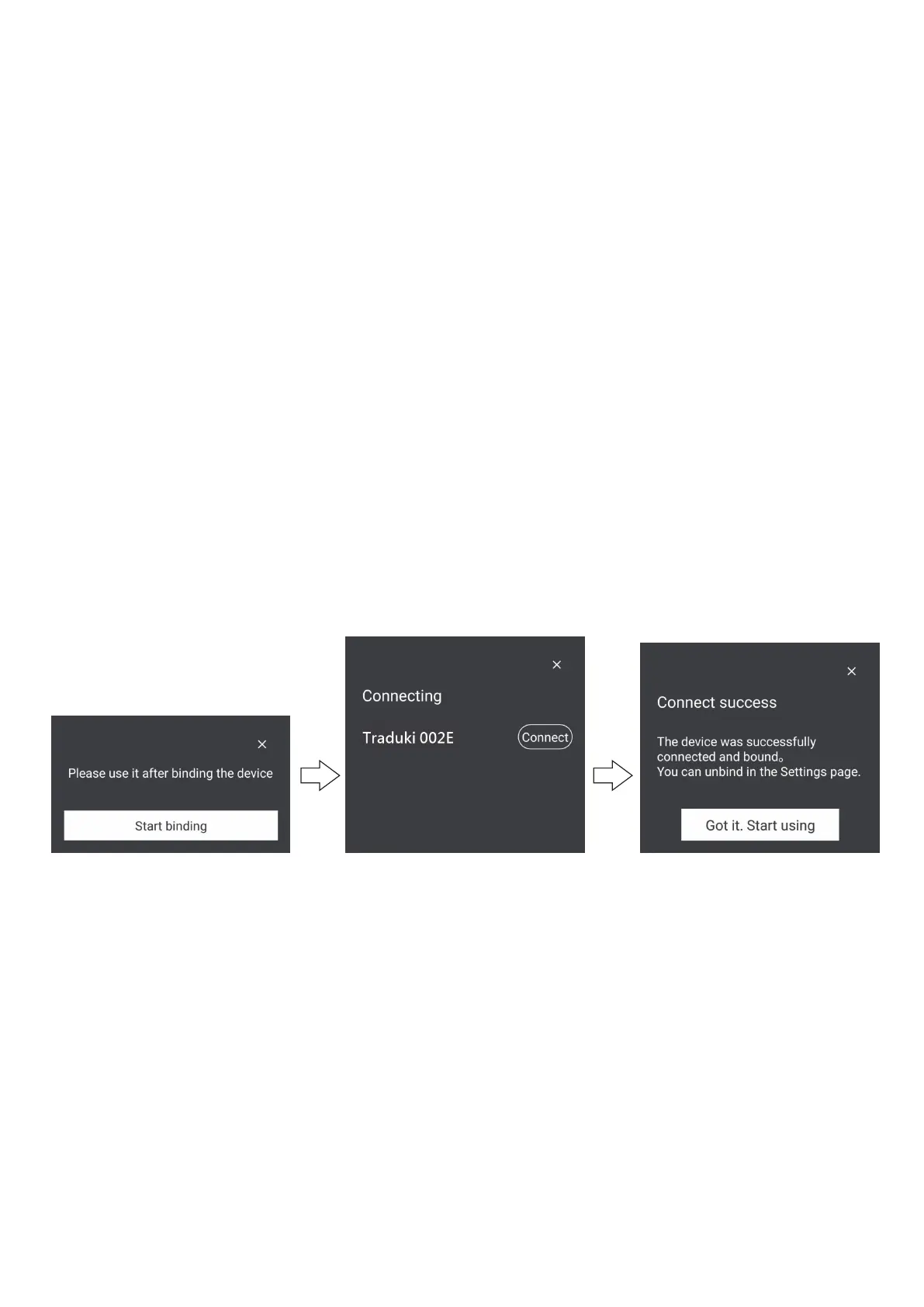
Start binding Click to connect
Connection
succeeded
Translation Function
When using the translation function for the first time, the
earbuds needs to be bound with an APP.When the earbuds is
connected to the mobile phone, open the APP and start binding.
To change the link destination to another smartphone, go to
"Software set” in app →Unlink (unbind device)" and reconfigure.
[iOS] Open the app with the earphones and smartphone
connected with Bluetooth. And, "Add device" is displayed at the
bottom of the smartphone screen.Tap "Add device" → "Link" to
complete the connection.
[Android] Open the app with the earphones and smartphone
connected with Bluetooth. And, "Start binding" is displayed at
the bottom of the smartphone screen.Tap "Start binding" →
"Connect" to complete the connection.
reconnect device
If you want to reconnect device you already connected, please
open the charging case’s lid, it will reconnect to bluetooth
automatically.
*The image is the screen of the Android application. Notation
is different in iOS
Traduki



 To Next Page