

EasyManua.ls Logo

Trust 18022 - User Manual

Trust 18022
2 pages
Print Icon
To Next Page IconTo Next Page
Loading...
Connect to wall power-plug
20110810R1 © Trust International B.V.
43
1
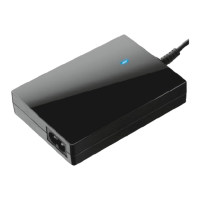
Ultraslim 90W Notebook Power Adapter 18022
Quick Installation Guide
3
Select the correct connector
(see details on backside)
4
Connect to your laptop
(90 Watts max.)
2
1
3
2
?
FAQ trust.com/18022/faq
CLICK!
Question and Answer IconNeed help?

Do you have a question about the Trust 18022 and is the answer not in the manual?

Summary

Quick Installation Guide

Select the Correct Connector

Choose the appropriate connector tip for your notebook model from the provided options.

Connect to Laptop

Attach the power adapter to your notebook, ensuring the correct connector is used.

Connect to Wall Power

Plug the power adapter into a standard wall outlet to supply power.

Connector Compatibility by Brand

Notebook Connector Identification

Visual guide to selecting the correct connector tip for various laptop brands like Acer, HP, Asus, Dell, etc.

Troubleshooting and Support

Troubleshooting and Further Assistance

Guidance on what to do if the adapter is not working and where to find more help.
Summary

Quick Installation Guide

Select the Correct Connector

Choose the appropriate connector tip for your notebook model from the provided options.

Connect to Laptop

Attach the power adapter to your notebook, ensuring the correct connector is used.

Connect to Wall Power

Plug the power adapter into a standard wall outlet to supply power.

Connector Compatibility by Brand

Notebook Connector Identification

Visual guide to selecting the correct connector tip for various laptop brands like Acer, HP, Asus, Dell, etc.

Troubleshooting and Support

Troubleshooting and Further Assistance

Guidance on what to do if the adapter is not working and where to find more help.

Trust 18022 Specifications

General IconGeneral
BrandTrust
Model18022
CategoryAdapter
LanguageEnglish