7
1. Connect the power adapter
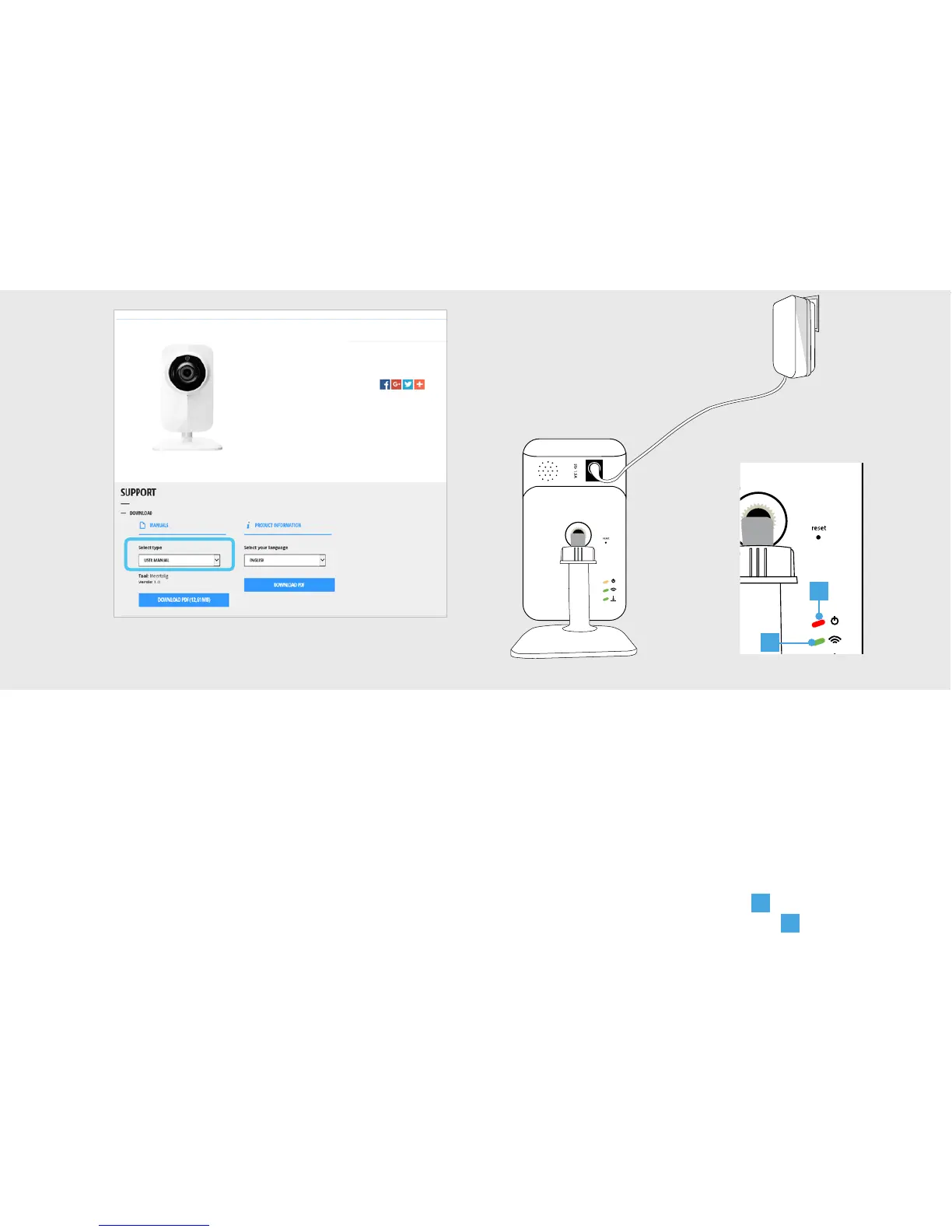
Connect the included power adapter to the
camera and insert the plug of the power
adapter into a wall socket. The LEDs on the
back will light up and the camera will start up.
The first time the camera starts it can take
up to a minute. When the camera is done
starting up, the power LED (
A
) will be lit red
continuously and the WIFI LED (
B
) will start
blinking green.
This is a quick installation guide with basic
installation and usage instructions.
Check the advanced manual on
trust.com/71119 for more in-depth information
like:
• Camera settings
• Recording video
• Reset camera
• Push notifications
• Motion detection
1
A
B


 To Next Page