EasyManua.ls Logo

Trust SoundForce Presto - User Manual

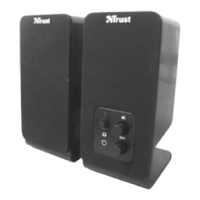
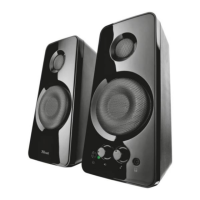
Trust SoundForce Presto
2 pages
Print Icon
To Next Page IconTo Next Page
Loading...
Item: 15927
SoundForce Presto
1
2 3
4 5
Question and Answer IconNeed help?

Do you have a question about the Trust SoundForce Presto and is the answer not in the manual?

Summary

Setting Up Your SoundForce Presto

Connection Diagram

Illustrates the basic connection of speakers to a computer and audio source.

Connect Power Adapter

Shows how to plug the speaker system into a power outlet.

Adjust Tone Control

Demonstrates using the tone knob to adjust sound quality.

Adjust Volume Control

Shows how to use the volume knob for sound level adjustment.

Connect Headphones

Illustrates plugging headphones into the speaker system's jack.

Software Audio Settings

Shows the computer's software interface for managing audio settings.

Declaration of Conformity

Summary

Setting Up Your SoundForce Presto

Connection Diagram

Illustrates the basic connection of speakers to a computer and audio source.

Connect Power Adapter

Shows how to plug the speaker system into a power outlet.

Adjust Tone Control

Demonstrates using the tone knob to adjust sound quality.

Adjust Volume Control

Shows how to use the volume knob for sound level adjustment.

Connect Headphones

Illustrates plugging headphones into the speaker system's jack.

Software Audio Settings

Shows the computer's software interface for managing audio settings.

Declaration of Conformity

Trust SoundForce Presto Specifications

General IconGeneral
Peak Power20 W
Signal-to-Noise Ratio70 dB
Type2.0 speaker set
Total Power Output10 W
Frequency Response20 Hz - 20000 Hz
Connectivity3.5mm audio jack
Impedance4 Ohm
ControlsVolume
Power SourceUSB powered
Weight600 g

Related product manuals