EasyManua.ls Logo

Trust THORNE - User Manual

Trust THORNE
2 pages
Print Icon
To Next Page IconTo Next Page
Loading...
WWW.TRUST.COM/25110/FAQ
Trust International BV - Laan van Barcelona 600 - 3317DD, Dordrecht, The Netherlands
©2023 Trust All rights reserved.
Bedienungsanleitung | Mode d’emploi | Gebruikershandleiding | Manuale utente | Manual del usuario | Guia do utilizador | Brukerveiledning |
Bruksanvisning | Käyttöopas | Brugsvejledning | Instrukcja obsługi | Návod kpoužití | Návod na používanie | Használati útmutató | Manual de
utilizare | Ръководство за потребителя | Εγχειρίδιο χρήσης | Kullanıcı kılavuzu | Руководство пользователя | Uporabniški priročnik | Korisnički
priručnik | Guia do usuário | Посібник користувача
دليل المستخدم
USER GUIDE
THORNE
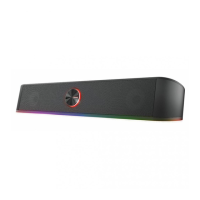
ILLUMINATED GAMING SOUNDBAR
Question and Answer IconNeed help?

Do you have a question about the Trust THORNE and is the answer not in the manual?

Summary

THORNE ILLUMINATED GAMING SOUNDBAR USER GUIDE

Soundbar Connectivity

Connect the soundbar via USB-A for power and AUX for audio input.

Power and Volume Control

Learn to turn the soundbar on/off with a click and adjust volume with the rotary control.

Illumination Features

Explore the multi-colour lighting effects and interaction methods.

Summary

THORNE ILLUMINATED GAMING SOUNDBAR USER GUIDE

Soundbar Connectivity

Connect the soundbar via USB-A for power and AUX for audio input.

Power and Volume Control

Learn to turn the soundbar on/off with a click and adjust volume with the rotary control.

Illumination Features

Explore the multi-colour lighting effects and interaction methods.

Trust THORNE Specifications

General IconGeneral
Channels2.1
AC input frequency50/60 Hz
Frequency Response20 Hz - 20 kHz
ControlsVolume, Bass
Frequency range20Hz - 20kHz
Impedance4 Ohm
Connectivity technologyWired
Headphone outputs3.5mm
Signal-to-Noise Ratio70 dB
Input3.5mm

Related product manuals