EasyManua.ls Logo

Trust ZPIR-8000 - User Manual

Trust ZPIR-8000
24 pages
Print Icon
To Next Page IconTo Next Page
Loading...
USER MANUAL
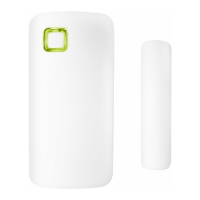
CONTACT SENSOR
ZCTS-808
Item 71169 Version 1.0
Always read the instructions
before using this product
PREMIUM-LINE
ZPIR-8000
SWITCH-IN
Question and Answer IconNeed help?

Do you have a question about the Trust ZPIR-8000 and is the answer not in the manual?

Summary

Product Compatibility

Battery Installation and Replacement

Remove Backplate

Remove the backplate from the contact sensor.

Open Battery Cover

Open the battery cover using a flat screwdriver.

Insert Battery

Place the CR2032 battery, noting polarity, and close the cover.

LED Indicator Functions

LED Status Table

Table detailing LED behavior for connection modes, success, reset, and trigger.

Download and Install the App

Connecting the Contact Sensor

Mounting the Contact Sensor

Reset and Activate Connect Mode

Reset Sensor

Press the button for 5 sec with a pin to remove the sensor from the bridge.

Activate Connect Mode

Press the reset button for approx. 1 sec to activate connect mode.

Summary

Product Compatibility

Battery Installation and Replacement

Remove Backplate

Remove the backplate from the contact sensor.

Open Battery Cover

Open the battery cover using a flat screwdriver.

Insert Battery

Place the CR2032 battery, noting polarity, and close the cover.

LED Indicator Functions

LED Status Table

Table detailing LED behavior for connection modes, success, reset, and trigger.

Download and Install the App

Connecting the Contact Sensor

Mounting the Contact Sensor

Reset and Activate Connect Mode

Reset Sensor

Press the button for 5 sec with a pin to remove the sensor from the bridge.

Activate Connect Mode

Press the reset button for approx. 1 sec to activate connect mode.

Trust ZPIR-8000 Specifications

General IconGeneral
BrandTrust
ModelZPIR-8000
CategoryAccessories
LanguageEnglish

Related product manuals