
 Need help?
Do you have a question about the TruTech TCR1276 and is the answer not in the manual?
Discusses electrical shock, fire risk, and user responsibilities for safe operation.
Addresses ventilation, heat, power sources, and grounding polarization for safe use.
Details cord protection, cleaning, nonuse, liquid entry, damage, servicing, and power lines.
Covers antenna grounding, lightning, safety checks, and avoiding outlet overloading.
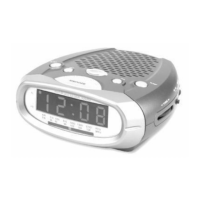
Identifies and labels key buttons, switches, and displays on the clock radio unit.
Explains connecting power and the function of the AUTO/OFF/ON switch for basic use.
Guides on setting the clock time and alarm time using the designated buttons.
Details selecting AM/FM bands, tuning stations, and adjusting volume for listening.
Explains setting the radio to wake you up and using the snooze function for temporary silence.
Describes waking up to a buzzer and how to turn off the alarm after it sounds.
Explains the sleep timer function and the battery backup for power failures.
 General
| Brand | TruTech |
|---|---|
| Model | TCR1276 |
| Category | Clock Radio |
| Display Type | LED |
| Radio Band | AM/FM |
| Presets | 10 |
| Headphone Jack | Yes |
| Power Source | AC Power |
| Battery Backup | Yes |
| Alarm Type | Buzzer |

 To Next Page
