Other Functions and Operations
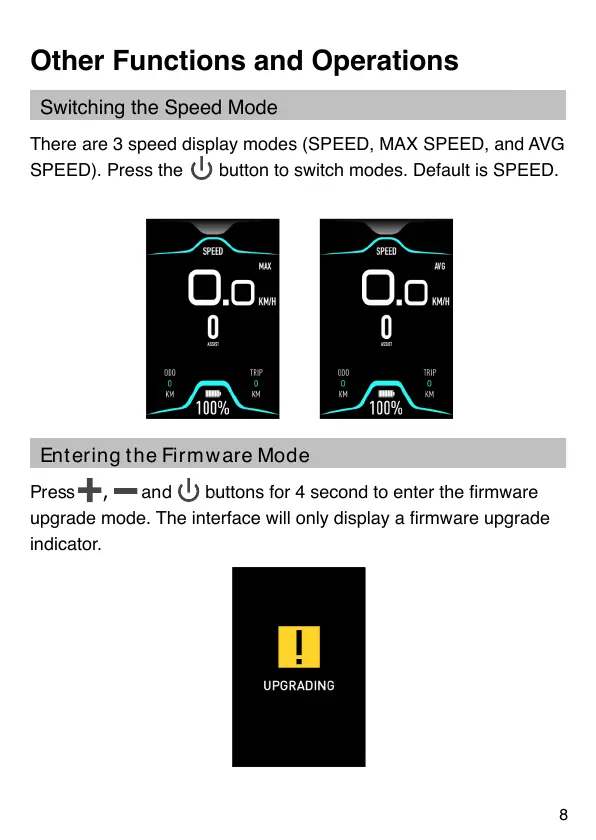
There are 3 speed display modes (SPEED, MAX SPEED, and AVG
SPEED). Press the button to switch modes. Default is SPEED.
Press , and buttons for 4 second to enter the rmware
upgrade mode. The interface will only display a rmware upgrade
indicator.
Switching the Speed Mode
En t er i n g t h e Fi r m w ar e Mo d e
8


 To Next Page