10
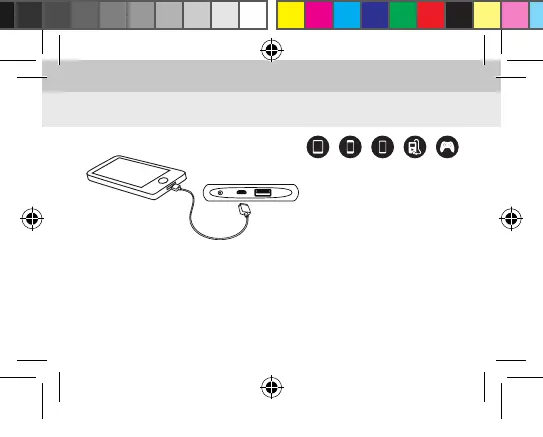
Charging your device with the PowerSlim
Suitable for the following devices:
1. You can use the original USB data cable or Micro USB cable supplied with your
product in order to connect your device.
2. Connect your device to the PowerSlim’s USB output with the cable.
3. Press the power button.
4. The LED power indicator will remain illuminated while your device is being charged.
5. Disconnect your device when it is fully charged.
iPad PSPiPhone MP3/MP4Phone
PowerSlim 5000 Kilavuz EN.indd 10 6.07.2018 09:56



 To Next Page