EasyManua.ls Logo

ttec SoundBeat Pro - User Manual

ttec SoundBeat Pro
28 pages
Print Icon
To Next Page IconTo Next Page
Loading...
All manuals and user guides at all-guides.com
Question and Answer IconNeed help?

Do you have a question about the ttec SoundBeat Pro and is the answer not in the manual?

Summary

Thanks

Overview of SoundBeat Pro Bluetooth Stereo Earphones

How to Charge the Earphones

Low Battery Status and Actions

Guidance on actions to take when the battery level is low.

Getting Started

Powering Earphones On and Off

Instructions for powering the earphones on and off.

Pairing the Earphones with a Bluetooth-enabled Mobile Phone

Voice Dialing Functionality

How to initiate voice dialing using the earphones.

Call Management Operations

Redialing the Last Number

Instructions on how to redial the last dialed number.

Answering, Ending, and Rejecting Calls

Steps to answer, end, or reject incoming calls.

Call Hold, Switching, and Transfer

How to place calls on hold, switch between calls, and transfer calls.

Earphone Operations and Settings

Volume Adjustment and Music Control

How to adjust volume and control music playback (play, pause, skip).

Pairing with Computers or PDAs

Instructions for pairing the earphones with computers or PDAs.

Factory Reset Procedure

Steps to reset the earphones to their original factory settings.

Reconnecting Your Earphones

Using the Earphones: Call and Connection Operations

Handling Incoming and Ongoing Calls

How to manage incoming calls, including answering and rejecting.

Out of Range Warning and Reconnection

Notification when the earphones go out of Bluetooth range.

Advanced Earphone Functions

Volume Adjustment Details

How to adjust the volume level using the +/- buttons.

On-Hold Mode Without Connection

Behavior when on-hold or disconnected from the mobile phone.

Troubleshooting Common Issues

Pairing Connection Problems

Steps to resolve issues when pairing earphones with a mobile phone.

Audio Output Problems

Solutions for not hearing any sound from the earphones.

Powering Off Issues

How to resolve issues when the earphones cannot be turned off.

Troubleshooting Device Operations and Connectivity

Power On and Automatic Connection Issues

Resolving problems with powering on and automatic phone connection.

Call Quality and Indicator Issues

Explanation for beep sound during call and noise issues.

Maintenance Recommendations

Product Handling and Misuse Information

General Handling Precautions

General advice for handling the product safely.

Important Safety Instructions

Usage Guidelines and Rules

Product Care, Service, and Safety Information

Consumer Maintenance, Cleaning, and Service

Guidance for maintenance, cleaning, and post-warranty service.

Human and Environmental Health Concerns

Information on health and environmental impacts of the product.

Connection and Assembly Procedures

Instructions on connecting and assembling the product.

Critical Safety Warnings

Safe Usage and Hearing Protection

Important safety advice and guidelines for using the earphones safely.

Product Information and Compliance

RoHS Compliance Statement

Details about the product's compliance with RoHS directives.

Correct Disposal of Product

Correct Disposal of Battery

Overview

The ttec SoundBeat™ Pro Wireless Bluetooth® Headset is designed to provide a high-quality audio experience with enhanced sound and extended range, while also being energy efficient. This user manual provides comprehensive instructions for setting up, using, and maintaining your SoundBeat Pro earphones.

Function Description

The SoundBeat Pro earphones are a wireless Bluetooth® headset primarily designed for listening to music and making/receiving calls. They feature Bluetooth® version V4.1, which contributes to improved sound quality, increased product range, and reduced energy consumption. The earphones come with a control unit that includes several buttons and indicators for easy operation.

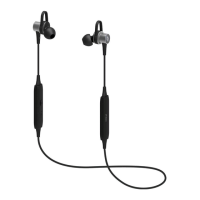
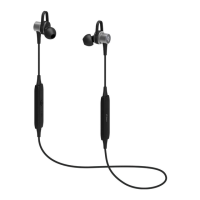
The main control unit houses an LED Light, Microphone, Micro USB Charging Port, Volume Up/Next Song button, Volume Down/Previous Song button, and a Multifunctional (MF) Button. The speakers are integrated into the earpieces.

The Multifunctional Button serves several key purposes:

  • Call Management: It allows you to answer, end, or reject calls.
  • Music Playback: It controls playing and pausing music.
  • Voice Features: It supports voice dialing and redialing the last dialed number.

The Volume Up/Next Song and Volume Down/Previous Song buttons control audio levels and track navigation. The microphone enables hands-free communication during calls.

Usage Features

Charging the Earphones: Before initial use, the SoundBeat Pro earphones must be fully charged. Connect the micro USB charging port on the headphones to a power source using the provided USB cable.

  • Charging Indicator: A red light indicates that the earphones are charging.
  • Battery Full: The light turns off when the battery is full.
  • Low Battery Warning: A red light blinking every 5 seconds, accompanied by a short beep every 20 seconds, indicates a low battery.
  • Empty Battery: The light is off, and there is no sound. For prolonged storage, it is recommended to recharge the device every 6 months to maintain battery life.

Switching On and Off:

  • Switching On: Press and hold the MF button for 4 seconds. A blue LED light will flash, and a warning tone will be heard, indicating the earphones are on.
  • Switching Off: While the device is on, press and hold the MF button for 3 seconds. A red LED light will flash, and a warning tone will be heard, indicating the earphones are off.

Pairing with a Bluetooth®-enabled Mobile Phone: To use the SoundBeat Pro, it must first be paired with your mobile phone.

  1. Enter Pairing Mode: Start with the headset off. Press and hold the MF button for approximately 5 seconds until the blue and red lights begin to blink alternately. This signifies that the SoundBeat Pro is in pairing mode.
  2. Enable Bluetooth: Activate Bluetooth® on your mobile phone.
  3. Search and Connect: Search for "SoundBeat Pro" on your phone and follow the on-screen instructions to connect.
  4. PIN Code: If prompted for a PIN code, enter "0000" and confirm.

Calling Features: Once successfully paired, the SoundBeat Pro can be used for making and answering calls. The sound will automatically transfer to your earphones when connected.

  • Voice Dialing: Press and hold the MF button for 2 seconds. After hearing a message and seeing the indicator light blink blue, you can say the name of the person you wish to call (if supported by your phone).
  • Redialing: Double-click the MF button to redial the last number called.
  • Answering/Ending/Rejecting Calls:
    • Answer: Click the MF button once when a call is received.
    • End: Click the MF button once to end an ongoing call.
    • Reject: Press and hold the MF button for 2 seconds to reject an incoming call.
  • Placing Calls On Hold: Double-click the MF button during a call to place it on hold and answer another incoming call. Double-click again to switch back to the first call.
  • Call Transfer: To transfer a call from your earphones to your mobile phone (and vice versa), press the Volume Up "+" button for 2 seconds. A blue LED light will blink, and a beep sound will be heard.

Adjusting Volume and Music Playback:

  • Volume Adjustment: Use the Volume Up "+" and Volume Down "-" buttons on the control unit or your mobile phone to adjust the volume. During a call, click the respective buttons to increase or decrease the volume.
  • Playing/Pausing Music: Press the MF button to play or pause music.
  • Next/Previous Track: Long press the Volume Up "+" button to play the next track. Long press the Volume Down "-" button to play the previous track.

Pairing with a Computer or PDA: The SoundBeat Pro can also be paired with Bluetooth®-enabled computers or PDAs by following the same pairing steps as for mobile phones.

Factory Reset: To restore the earphones to factory settings, turn the device on, then simultaneously press and hold the MF and Volume Down "-" buttons for 10 seconds. The blue and red lights will blink alternately, indicating a successful reset.

Reconnecting Earphones:

  • If the earphones are off, they will automatically reconnect to your phone when turned on. If not, press the Smart button once to manually reconnect.
  • If the phone was turned off and the earphones disconnected, you need to press the Smart button once to reconnect when the phone is turned on again. Otherwise, the earphones will turn off.

Maintenance Features

The SoundBeat Pro is designed for durability and superior performance, and proper care will ensure its longevity and continued warranty.

General Care Recommendations:

  • Keep Dry: Ensure the device remains dry. Rain, humidity, and liquids containing minerals can corrode electronic circuits. If the device gets wet, dry it thoroughly.
  • Clean Environment: Avoid using and storing the device in dusty or dirty environments, as this can damage moving parts and electronic components.
  • Temperature Control: Do not expose the device to high temperatures, which can shorten the life of electronic devices, damage batteries, and deform plastic parts. Similarly, avoid very cold areas, as humidity can form inside the device when it returns to normal temperature, potentially damaging circuits.
  • Handle Gently: Do not drop, shake, or expose the device to impact. Rough handling can break internal circuits and sensitive mechanical parts.
  • Cleaning: Do not use harsh chemicals, cleaning solvents, or strong cleaning agents. The product must be disconnected from the PC before cleaning. Use a damp cloth for cleaning.
  • No Paint: Do not paint the device, as paint can restrict the movement of parts and hinder proper function.
  • Keep Accessories Safe: Keep all accessories and additional parts out of reach of children.

Safety Instructions:

  • Read Manual: Always read all safety warnings and usage instructions before using the product.
  • Intended Use: Use the product only as indicated in the user's manual.
  • Avoid Water: Do not use the product near water.
  • Heat Sources: Keep the product away from heat sources.
  • Humid Environments: Protect the product from humid environments and rough use.
  • No Foreign Objects/Liquids: Do not insert any objects into the product or pour liquid on it.
  • Cable Care: Do not damage the cable by pulling it with extreme force.
  • Sunlight: Keep the product away from direct sunlight.
  • Stable Placement: Do not place the product on an unstable surface, as it may fall and be damaged.

Volume Warning: Long-term exposure to high volumes can result in permanent hearing loss.

  • Before Use: Adjust the volume to the lowest setting before putting on the earphones.
  • During Use: Put on the earphones and slowly adjust the volume to a comfortable level. Keep the volume as low as possible. If you need to increase it, do so slowly.
  • Discomfort: If you experience any discomfort or ringing in your ears, stop using the earphones immediately. Ears can adapt to high volumes, leading to permanent hearing damage without immediate discomfort.

Important Notes:

  • Fully charge the SoundBeat Pro before its first use.
  • Recharge the SoundBeat Pro if it has not been used for more than 6 months.
  • Always use an approved charger for the SoundBeat Pro.

Information on Misuse: The warranty does not cover issues arising from:

  • Failure to use the product as indicated in the manual.
  • Short-circuiting in hot and humid environments.
  • Using non-provided connection cables.
  • User interventions or removal/insertion of parts.
  • Physical impacts, breaks, or exterior damages.
  • Destroying or removing the product's serial number.
  • Malfunctions due to using non-original consumable materials.
  • Damages from natural disasters (fire, lightning, flood, earthquake).

Handling During Transport: Unpack the product carefully and keep all accessories in the box to avoid loss. Inspect for transport damages immediately. If damaged, notify the supplier or sender company promptly. Only the buyer can claim transport-related damages.

Maintenance, Repair, and Cleaning: The product contains no user-maintainable parts. In case of malfunction, refer to authorized service stations or the dealer. Post-warranty technical maintenance should only be performed by authorized service stations.

Connection and Assembly: Connection and assembly are performed by the consumer as per the user manual. For any issues, contact an authorized service station.

Environmental Disposal:

  • Product Disposal: The crossed-out wheeled bin symbol indicates that the product and its electronic accessories (charger, earphones, USB cable) should not be disposed of with domestic waste. They should be separated for recycling to prevent environmental harm and promote sustainable reuse. Contact your dealer or local authority for safe recycling information.
  • Battery Disposal: The battery should also be reprocessed and repaired at a waste collection area.

The economic life of this product is 3 years, during which spare parts will be supplied. The product is RoHS compliant, meaning it is "lead-free" and does not contain hazardous substances as defined by the European directive.

ttec SoundBeat Pro Specifications

General IconGeneral
Frequency Response20 Hz - 20 kHz
MicrophoneYes
Water ResistanceIPX4
Microphone FeaturesBuilt-in microphone
Foldable DesignNo
Product TypeHeadset
ConnectivityBluetooth
Color OptionsBlack

Related product manuals