Displayed
when
switch on
Battery voltage
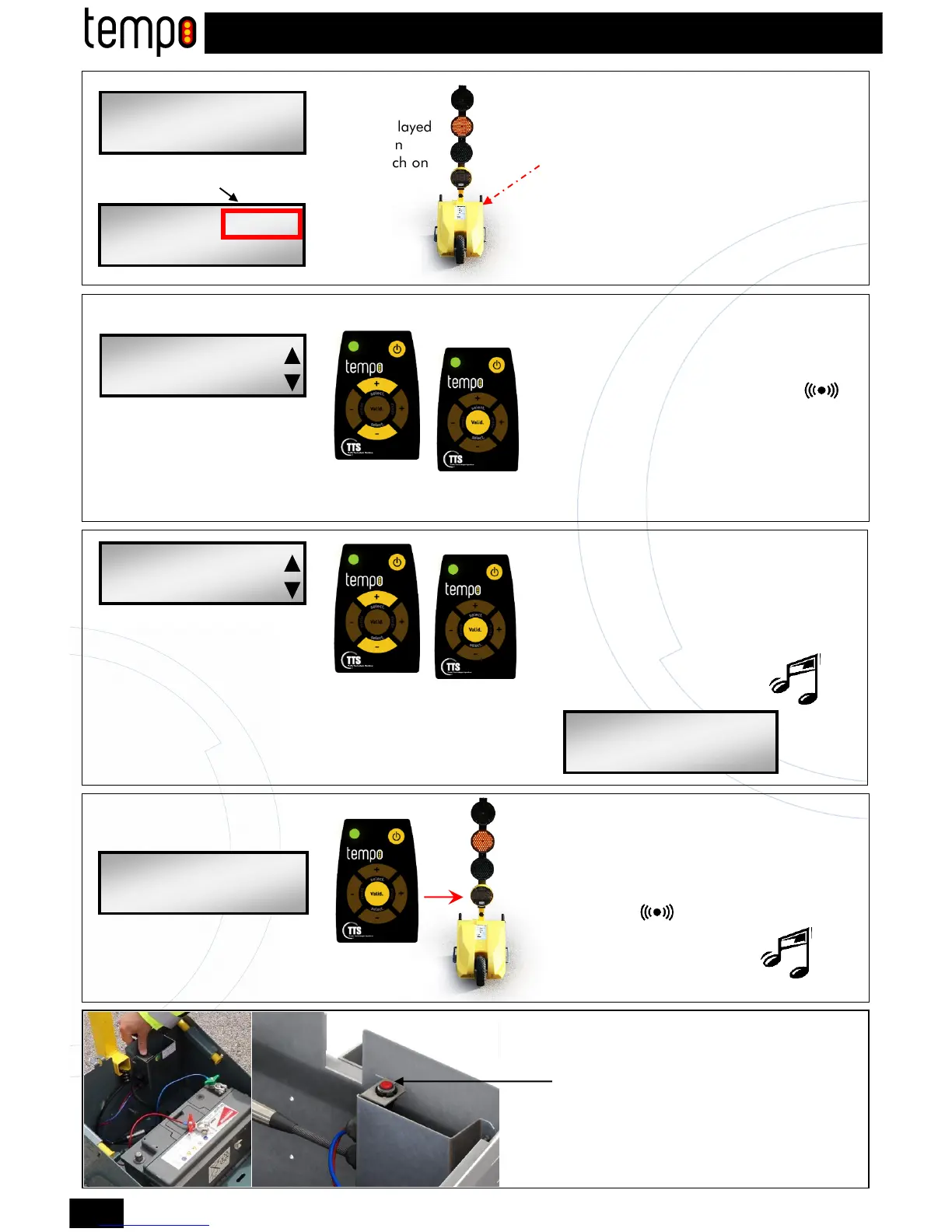
■ Turn on the Tempo traffic lights by
connecting the battery placed in the battery
box.
■ At that time, the Tempo traffic light is in a
waiting state « central orange light flashing ».
■ Select the density of the traffic with the +
and - (select) user-defined keys.
(please refer to the time table page 3)
■ Validate.
You must hear a double BEEP.
■ Select the length between the two traffic light
with the + and - (select) user-defined keys.
(Se référer au tableau des temps page3)
■ Validate.
Selection
Validation
▼
▲
Traffic programming
LOW
AVERAGE
HEAVY
VERY HEAVY
■ Switch on the remote control
■ Direct it to the window display symbol
Selection
Validation
STEP 3
Roadwork length programming
▼
▲
100m
200m
300m
400m
500m
600m
Validation
STEP 4
Validation of the cycle on the 2nd traffic light
Traffic light1
Switch on
STEP 1
STEP 2
TTS-Tempo-2 2016
001-V-100
LIGHT: 12,0V
FLASHING M
FIXED CYCLE
TRAFFIC: LOW
FIXED CYCLE
LENGHT:100m
FIXED CYCLE 12,0V
100m LOW m
FIXED CYCLE 12,0V
100m LOW a
Traffic light2
SWITCH OFF
■ Disconnect the + battery terminal
and maintain pression on the button
during 5 seconds.
ALTERNATE PROGRAMMING 2 TRAFFIC LIGHTS
4
■ Go to the 2nd traffic light
■ Direct the remote control to the window
display symbol
■ Validate.
You must hear a double BEEP.
until the LCD screen goes off.


 To Next Page
 Loading...