5
Firmware and Software:
The AIMON XB firmware can be upgraded and configured using the Setup software. From time to time we may release free
firmware upgrades to improve performance or adding new features. The new firmware will be posted on our web site with an
explanation of any features or improvements for your consideration.
For more information and instructions about how to upgrade and setup your AIMON XB check out our website at www.Tuact.com
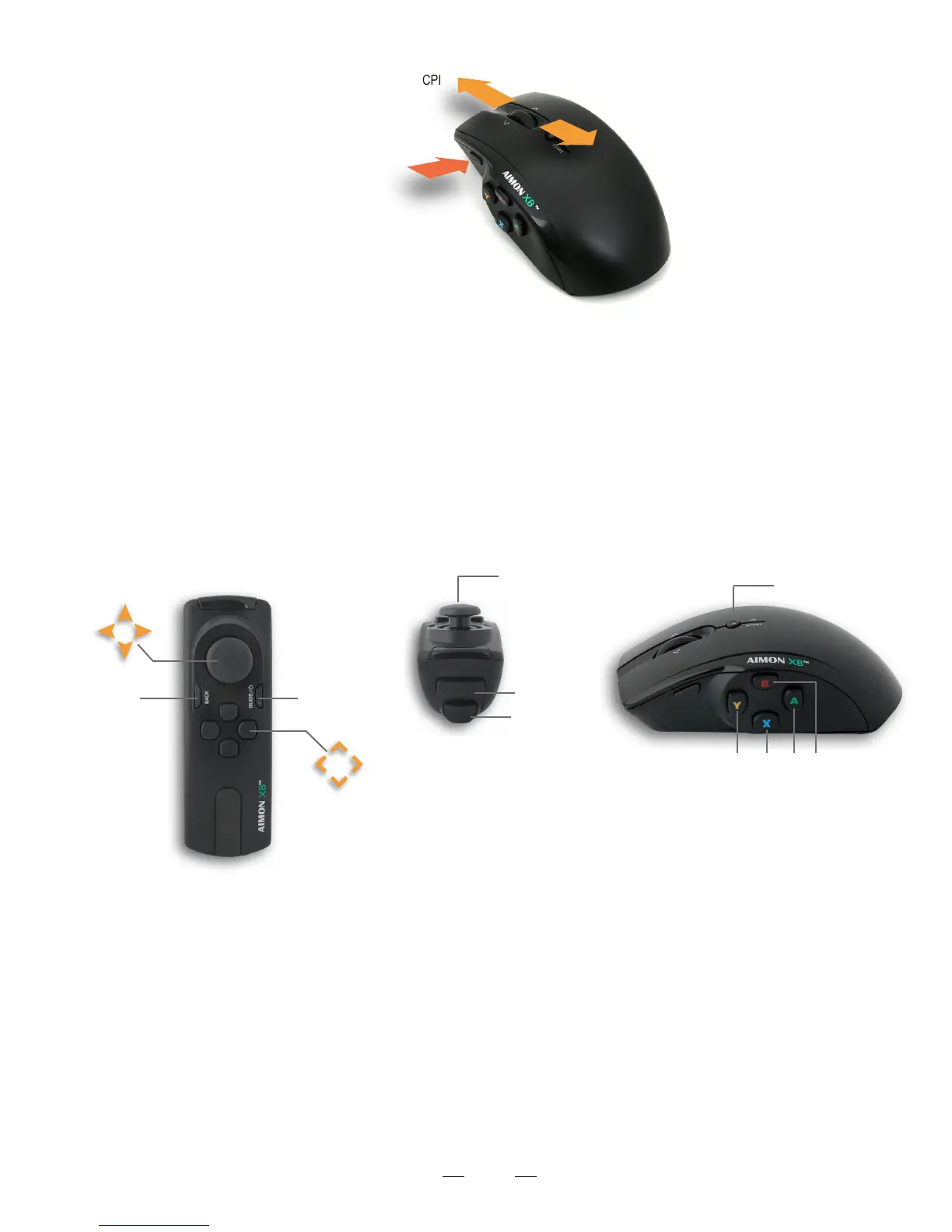
Adjust The Mouse Resolution
Press and Hold The F button
Increase CPI
Decrease CPI
2. Button layout:
Use the AIMON XB Setup Software to change and set WAND or Mouse buttons to the button layout you prefer. Most games
also allow you to change button layout.
The AIMON XB Setup Software can be found and downloaded from our website at www.Tuact.com.
The default Button Layout is as following:
X
L
C Z
Q
Space
T
Shift
E
F
1
2
3
4
W
A
S
D



 To Next Page